03 | MetricsManager Pro Design System 2.0
Creating a Scalable Design System for Product Growth
Color System
Design Token
Accessibility
CHALLENGE
Restructuring for Better Scalability
As our product expanded and the company was acquired by the Weir Group, we recognized that our design system lacked the flexibility needed to support growth and adapt to change. In this project, I focused on the following:
Restructuring design system to be more flexible and adaptive to adding new colors and components.
Ensuring compliance with WCAG accessibility standards.
Collaborating with the Weir Group design team to align foundational elements, with the goal of eventually moving toward one unified system.
My Role
From October 2024 to April 2025, I collaborated with my lead designer to restructure the design system (tokens, components and templates) and worked with 2 Weir Group designers to constantly communicate on aligning the design system.
During development, I collaborated with the Storybook developer to ensure the design system was properly integrated and that the Storybook structure aligned with it. I maintained clear communication throughout the process and contributed by reviewing components.
RESARCH
Planning and Identify Problems
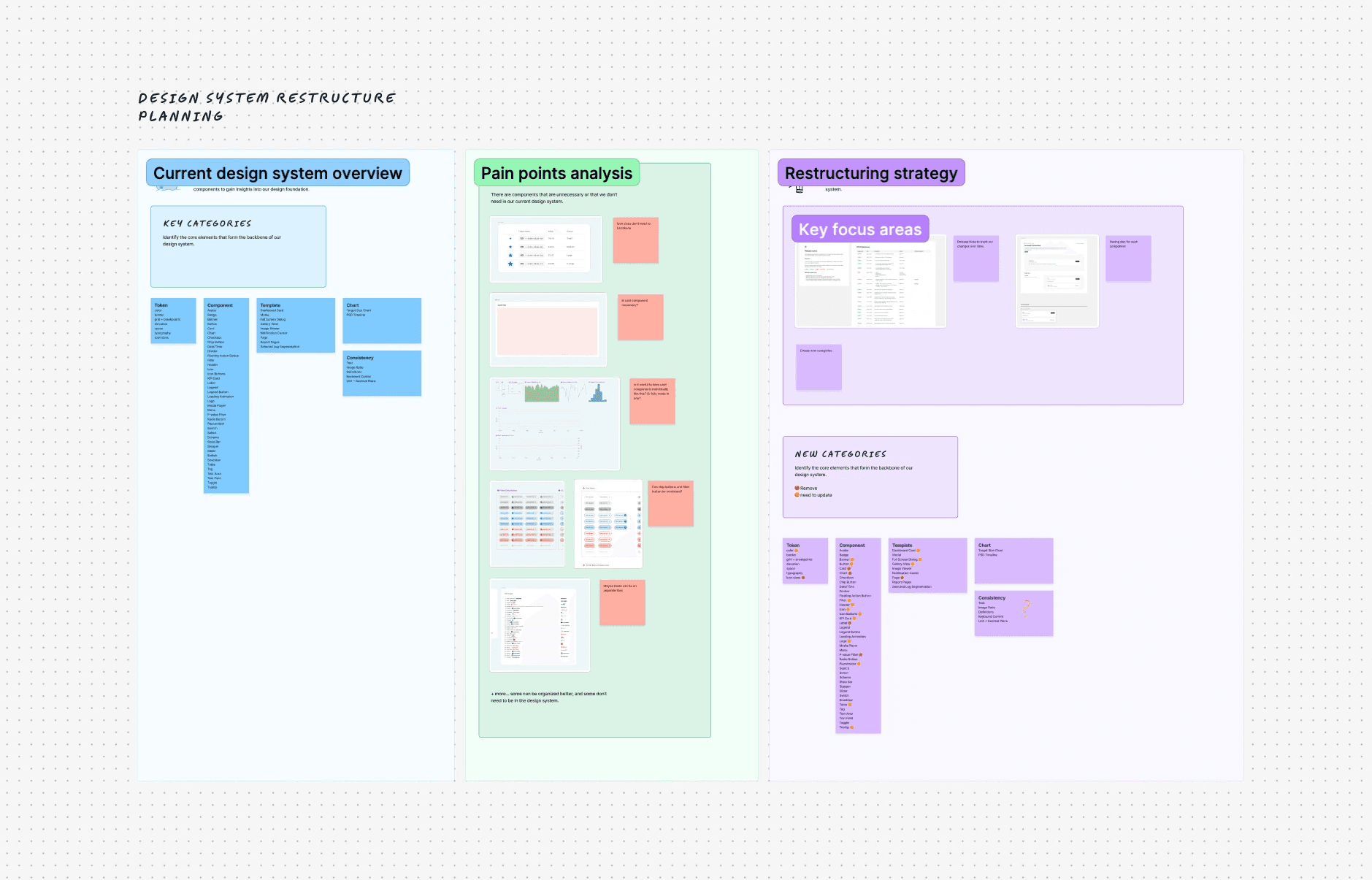
Before our team decided to restructure the design system, we faced numerous challenges and frustrations, particularly due to the lack of flexibility in tokens for new components and the difficulties in scaling the system, especially after the company's acquisitions. As the system needed to accommodate more components and tokens, it became clear that restructuring was necessary. I collected these pain points and began planning, documenting our issues, and identifying key focus areas.
RESEARCH
What is the Main Problem?
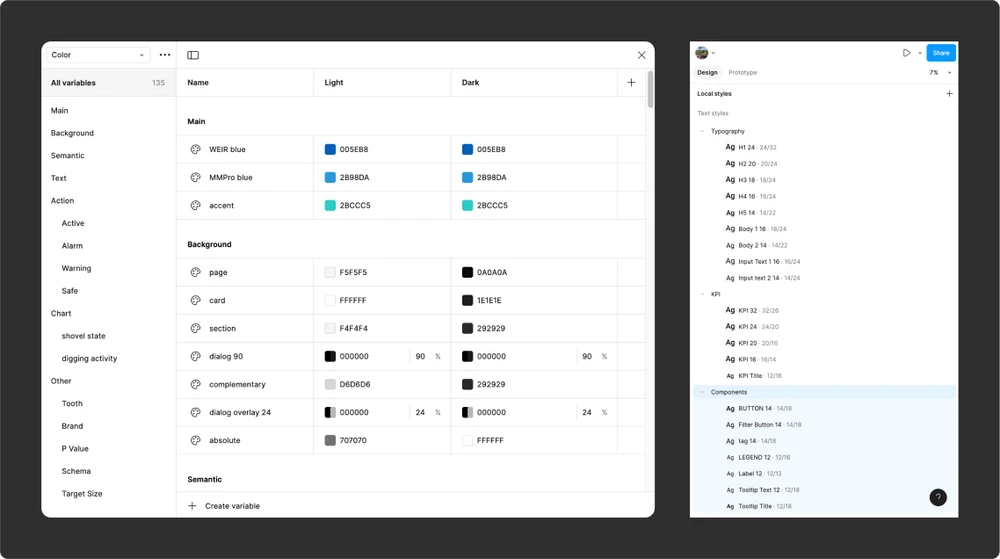
The main issue with the first version of our design system was that it relied on a single-level structure with raw values. Adding a new color required creating an entirely new hex code, which was not scalable. Naming conventions also created challenges. For example, a token like KPI 32 could only be applied to KPI components, limiting reuse across other areas. This raised an important question: how can we restructure tokens to make them more flexible and broadly applicable throughout the system?
RESEARCH
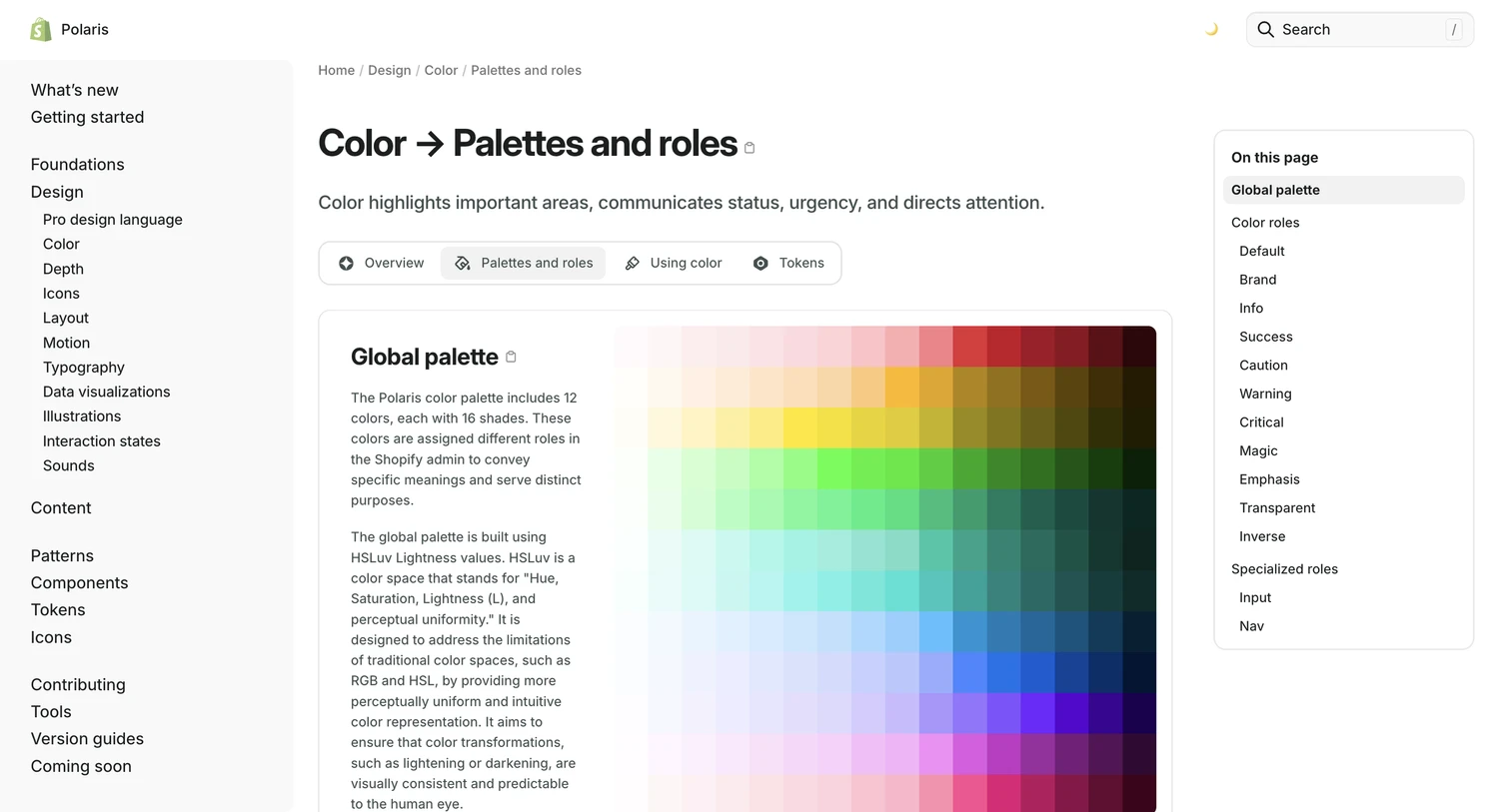
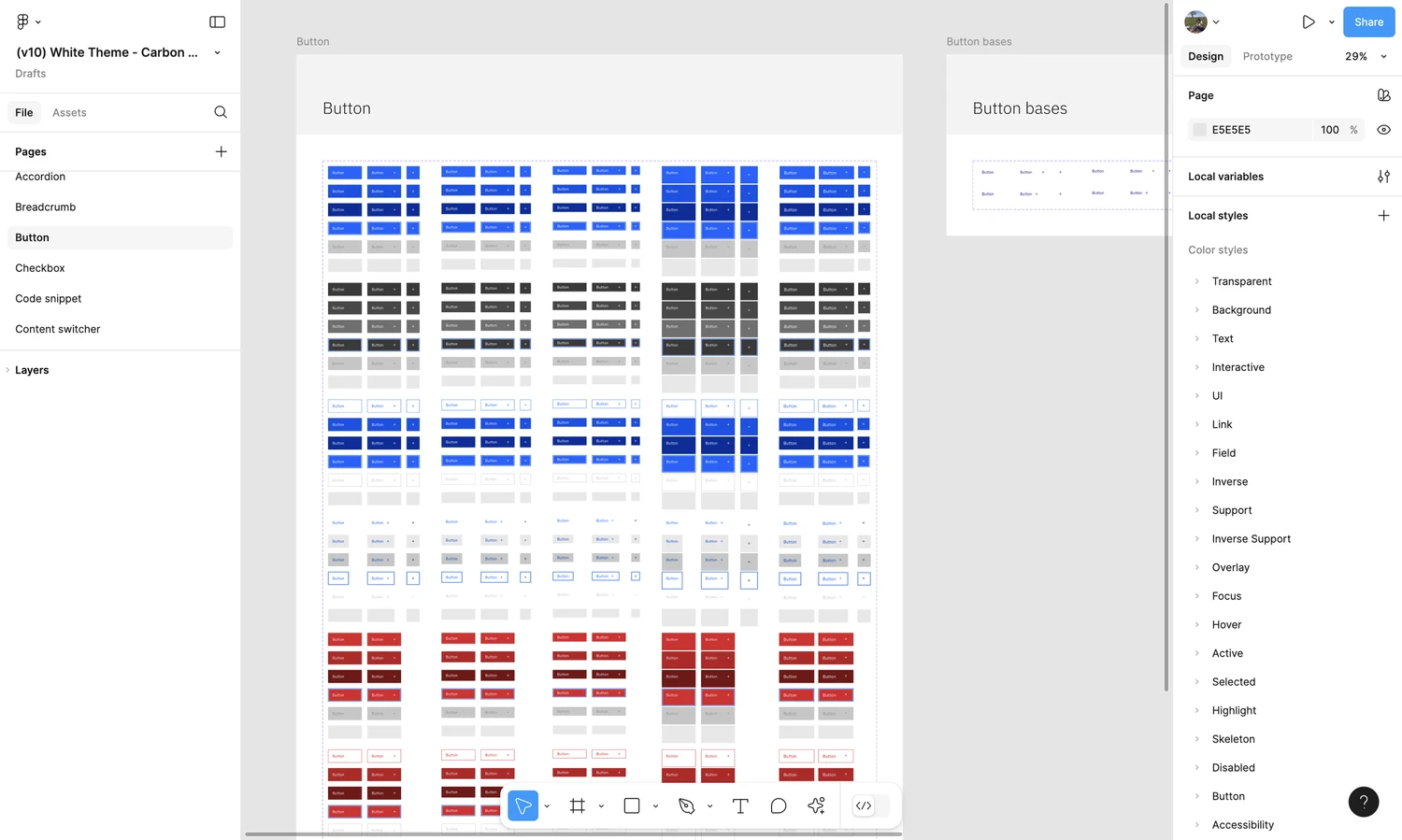
We dedicated a significant amount of time researching how larger companies structure and organize their design systems. This process was crucial for assessing the shortcomings of our current system and identifying areas for improvement. It also helped us determine which practices we could adopt and which ones might not be suitable for us.
REFRAMING THE PROBLEM
Through research on major tech design systems, we found that a well-organized structure is crucial for scaling a design system. For instance, all tokens should be mapped from a global primitive level, making it easier to add or expand them over time. Equally important is a consistent naming convention. Names should be generic and flexible to ensure broad applicability.
TOKEN
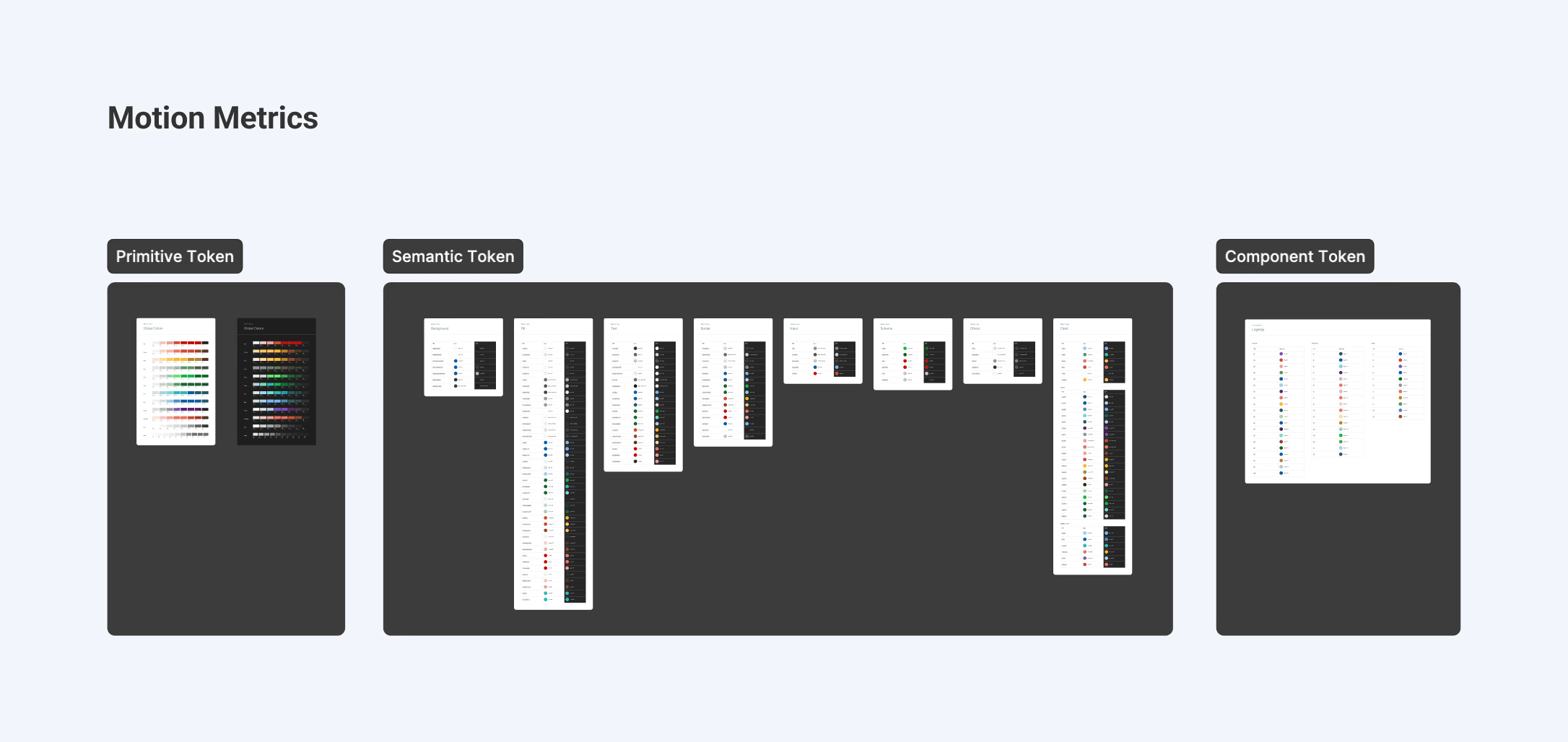
Initially, our color system was a single level where we used raw values for all tokens. Now, we've restructured the colors into primitive, semantic, and component-specific tokens. The global color palette is defined at the primitive level, and the colors are then mapped to their respective semantic and component categories. This approach makes it easier to scale and update the system.
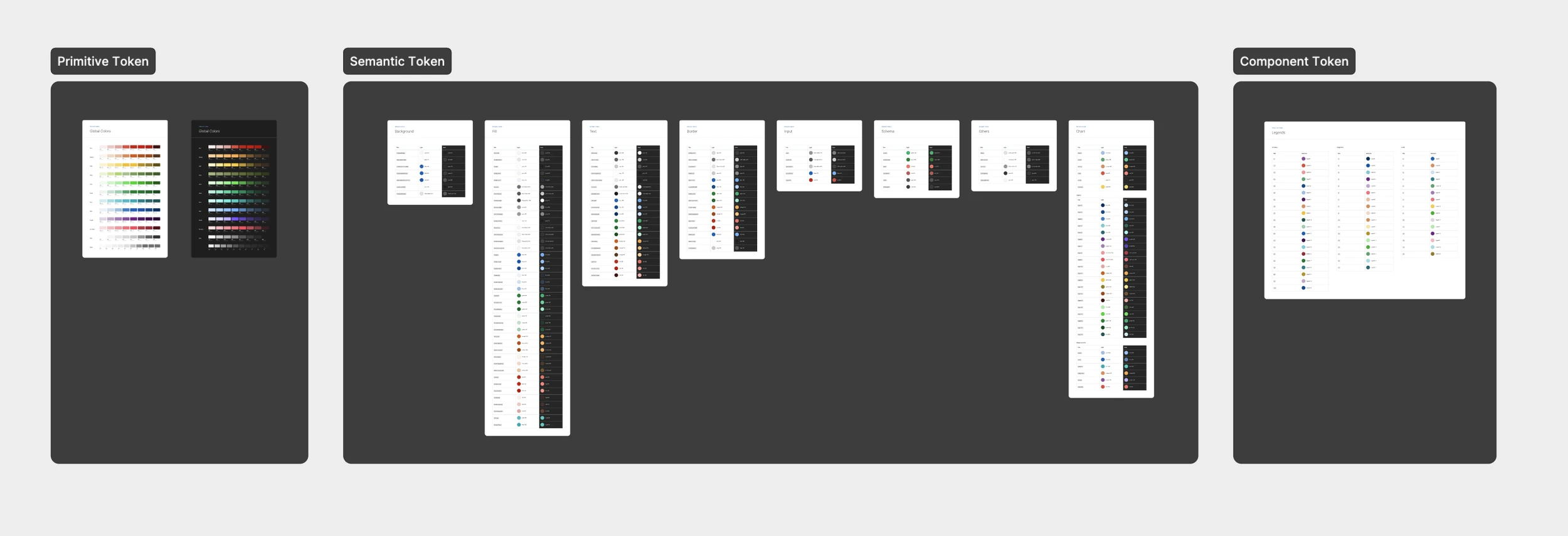
Design System Structure
Now, with our new system where we map from the primitive tokens, when adding colors to the semantic tokens, we only use values derived from the primitive ones. This approach is beneficial because it ensures consistency across the design system, simplifies maintenance, and makes it easier to introduce new colors without disrupting the overall structure. Additionally, it improves scalability by allowing changes to be made at the primitive level, which automatically propagate through to the semantic tokens.
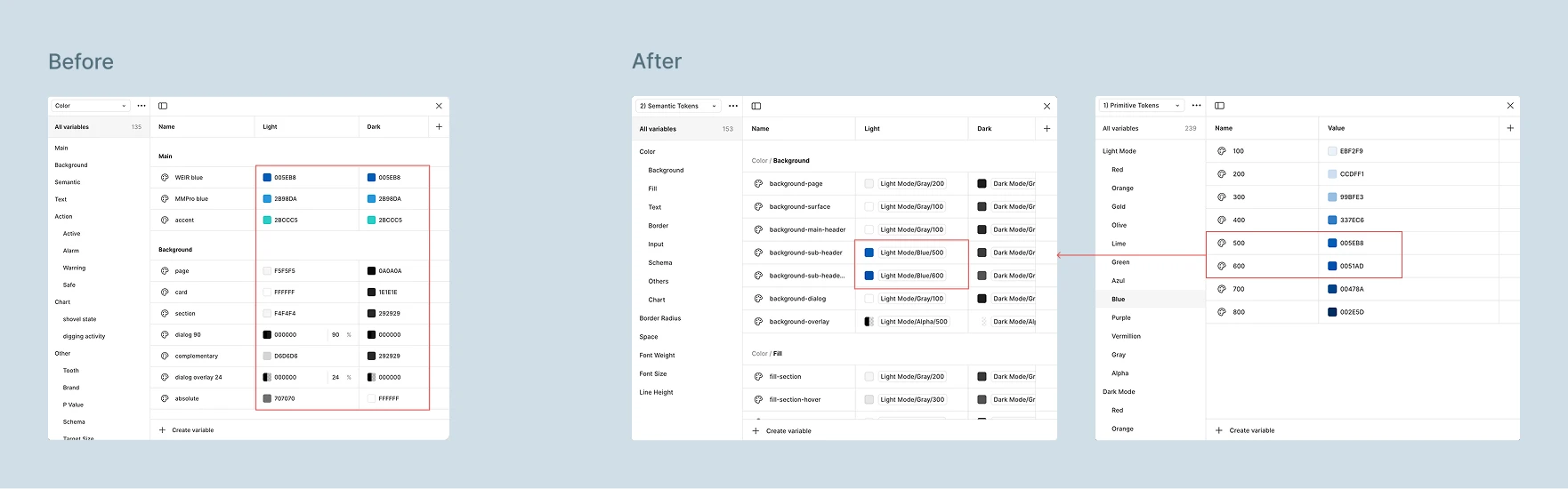
Before the restructuring, our token naming system lacked the flexibility to be applied consistently across different components, making it difficult to identify where each token should be used. In our new token system, we've aimed to make the naming more generic while also categorizing it more specifically, such as for background, fill, text, borders, and so on, ensuring it's clear where each token belongs.
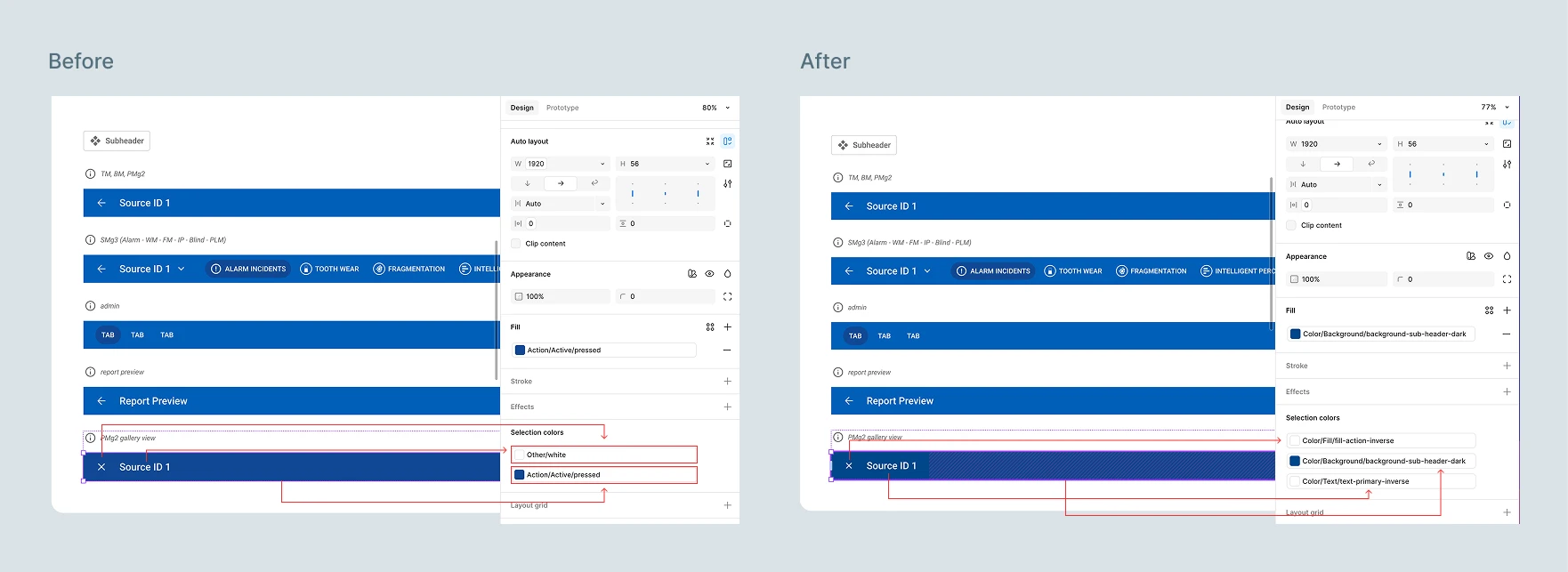
TOKEN
Establishing a Flexible Typography System
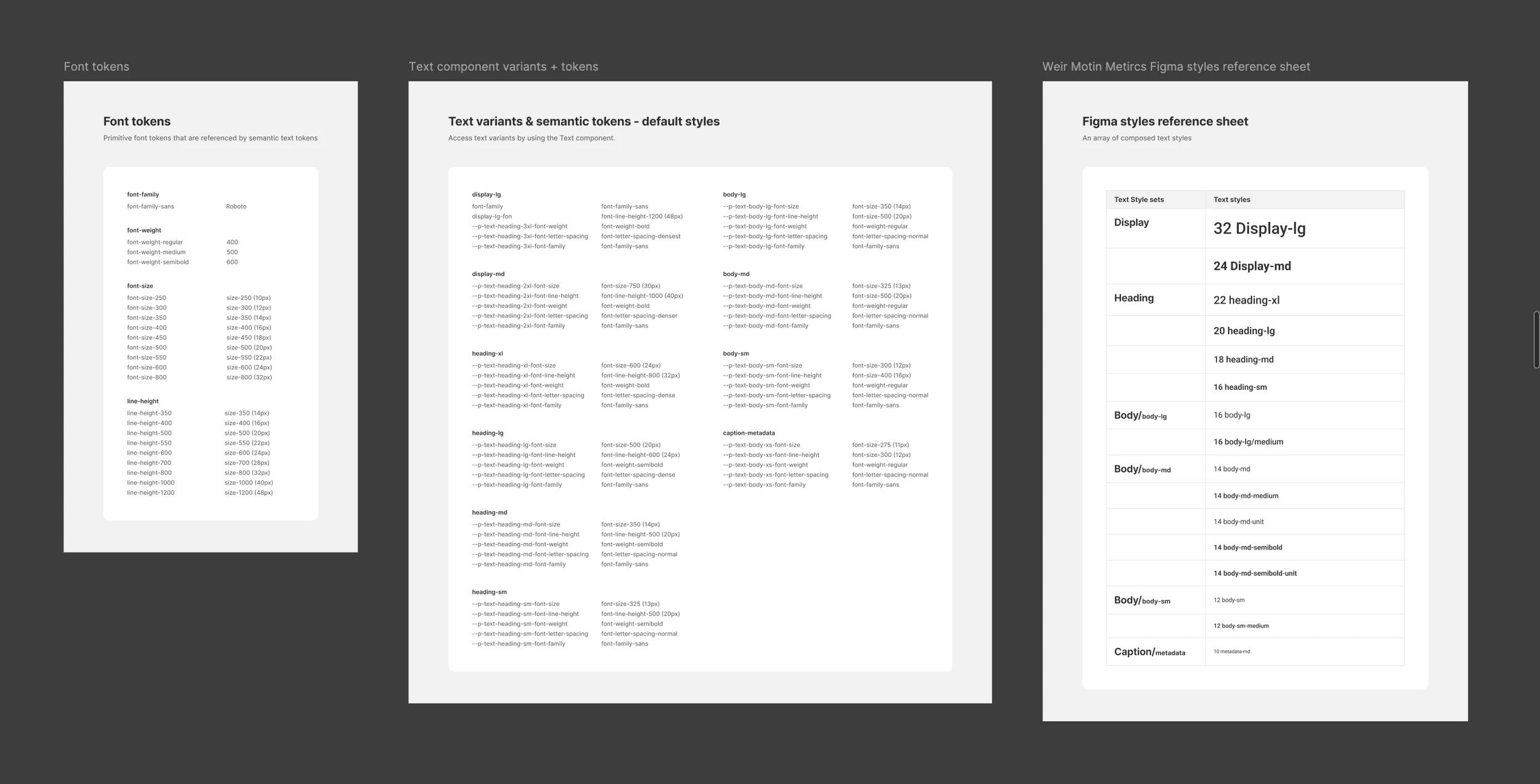
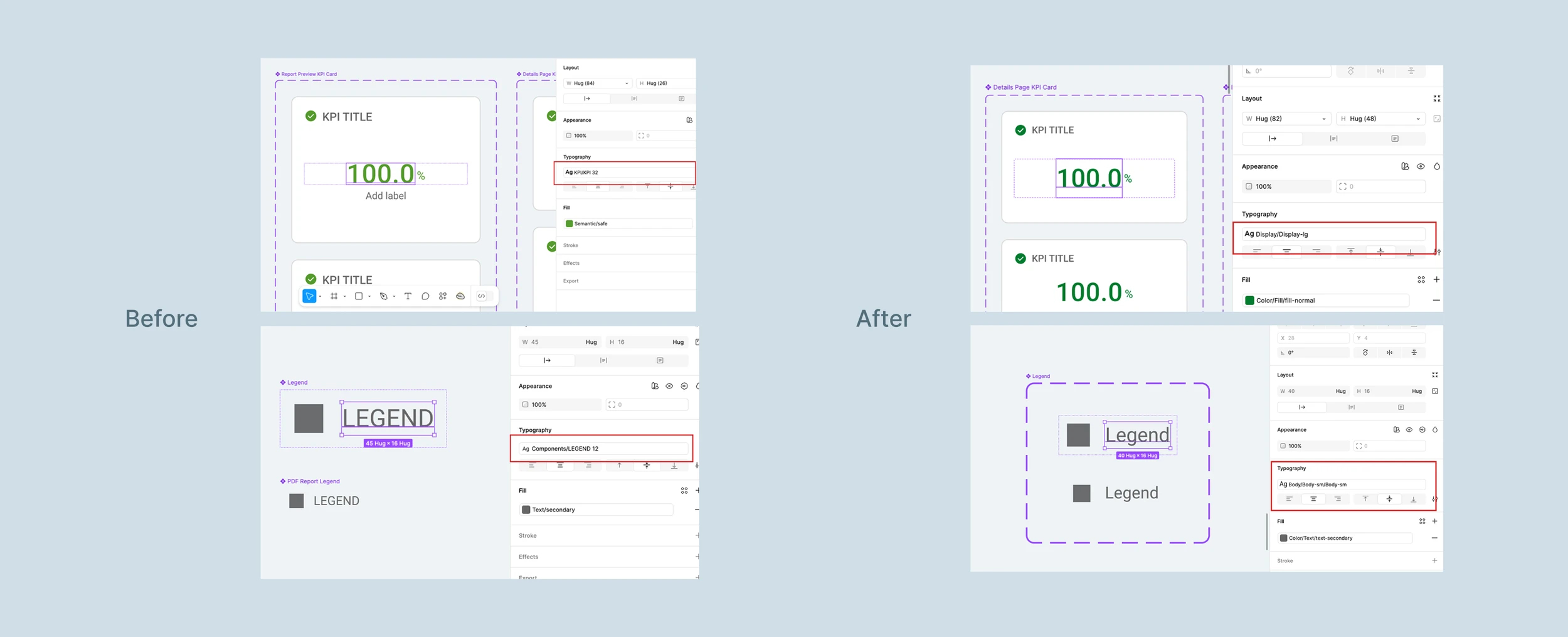
We also used a generic naming convention in typography to keep tokens flexible, reusable, and context-agnostic. Avoiding component-specific naming helps prevent constraints and supports evolving design needs. For example, component-specific names like "KPI 32" and "Legend 12", can be changed to a more generic naming such as "display-lg" and "body-sm", the same tokens can be applied across various components.
MORE CHALLENGES
Aligning Design System with Weir Group
After the acquisition by Weir Group, we were tasked with building a unified design system to be used across the entire digital division. Recognizing the scale of this initiative, we began by aligning the core foundations. As part of this effort, we collaborated closely with the Weir DLS team to explore how our color systems could merge and identify components that could be shared.
FIRST STEP
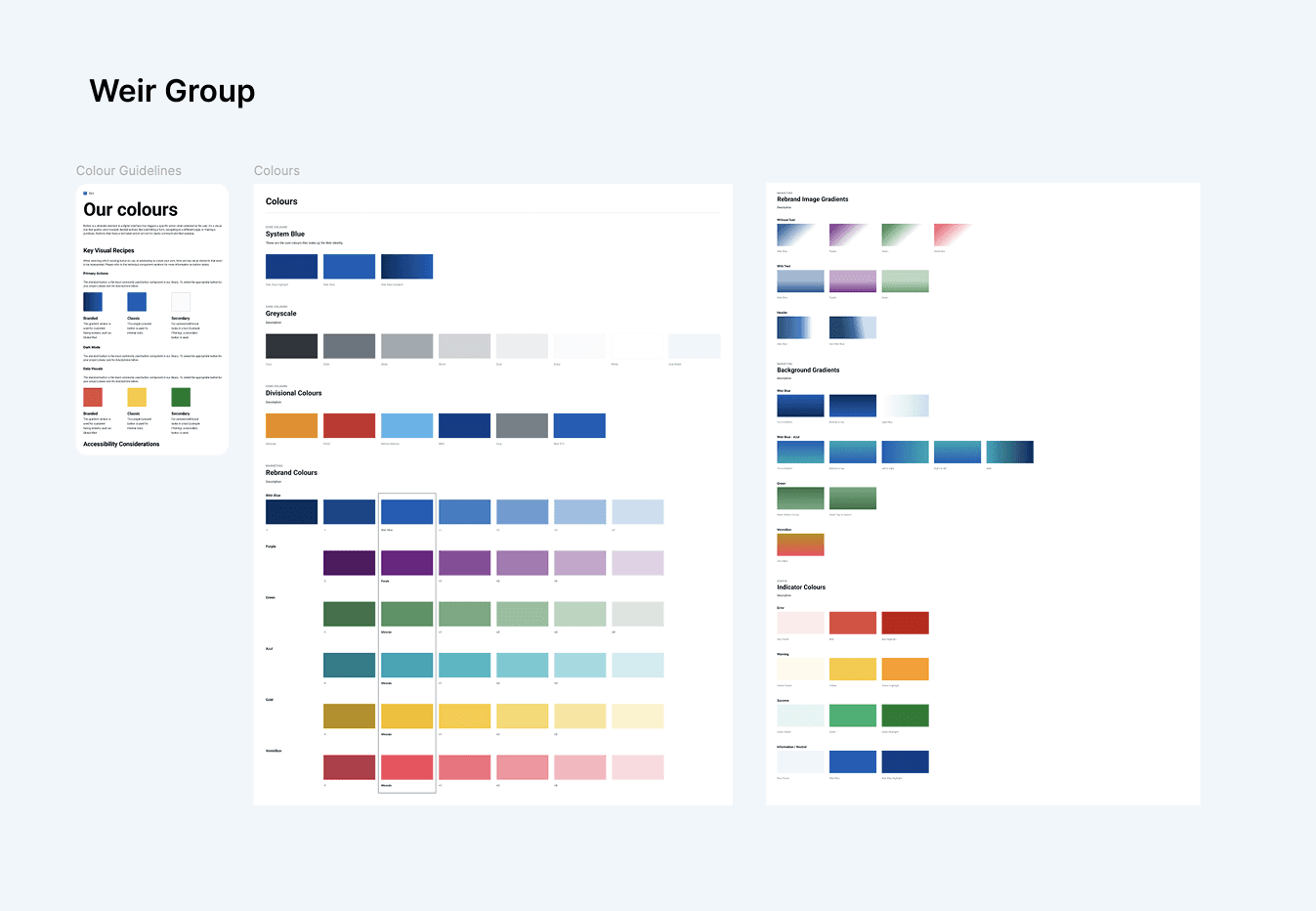
Our first step in unifying the design system was establishing a single global color palette. Because our token system was already well-structured, it allowed us to easily adopt and adjust colors. After multiple collaborative sessions with the Weir DLS team, we created an ideal global palette to unify both systems. While there is still more work ahead, this marked a significant step toward merging the design systems.
Before
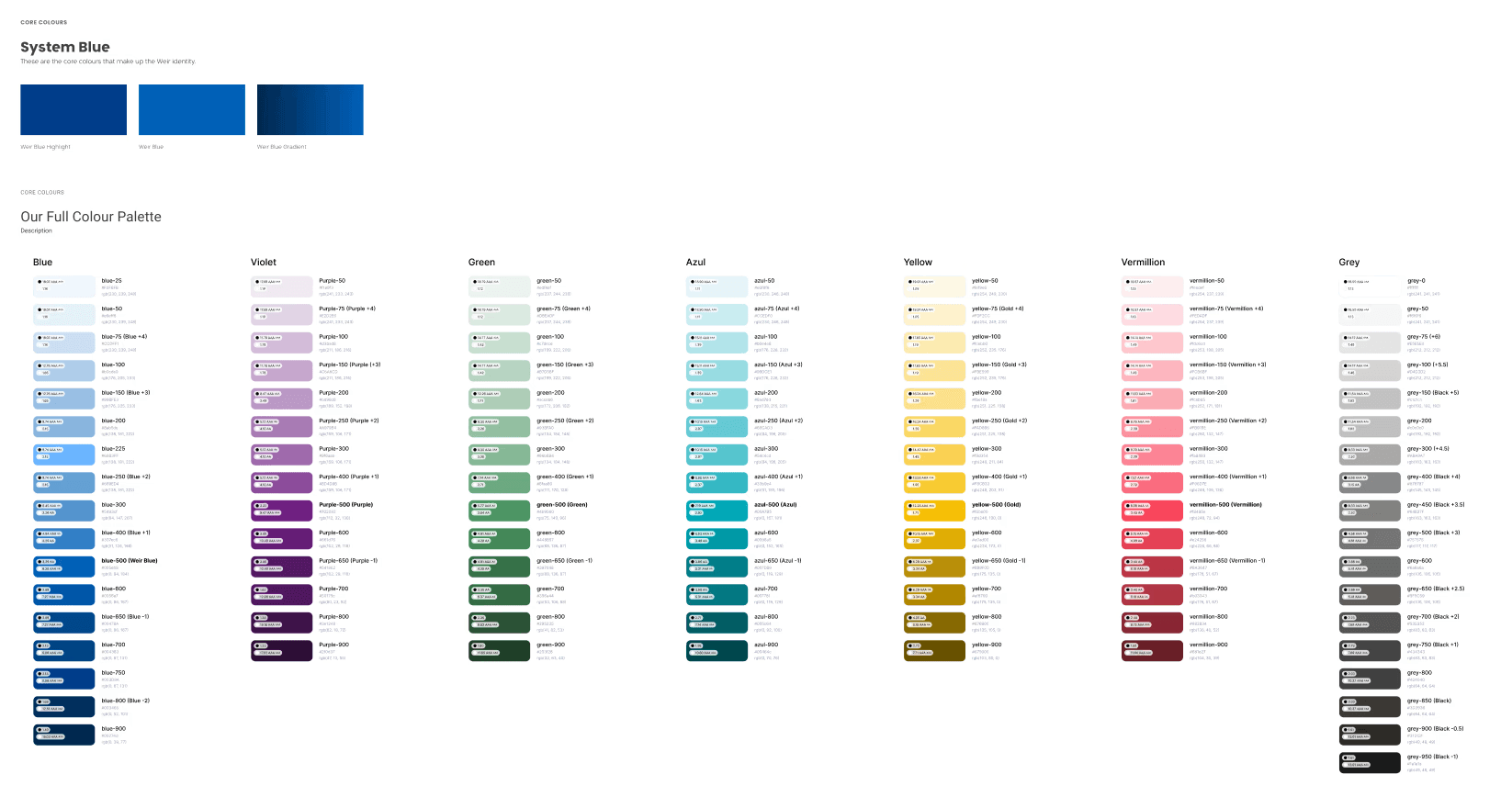
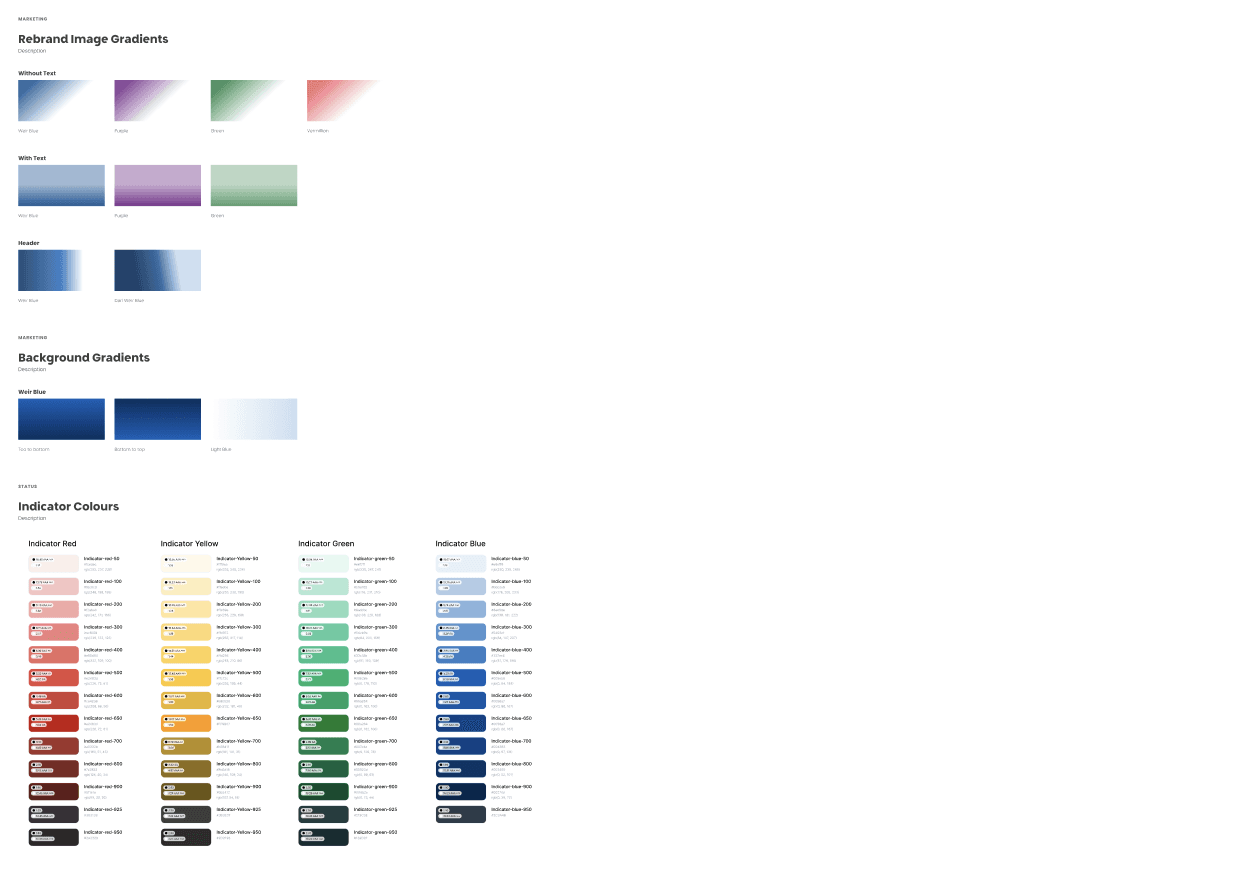
After
FINALIZING
Accessibility and Documentations
Finally, we invested significant effort into ensuring compliance with WCAG accessibility standards. In Design System V2, we also prioritized thorough component documentation and introduced clear content guidelines.
COLOR TESTING
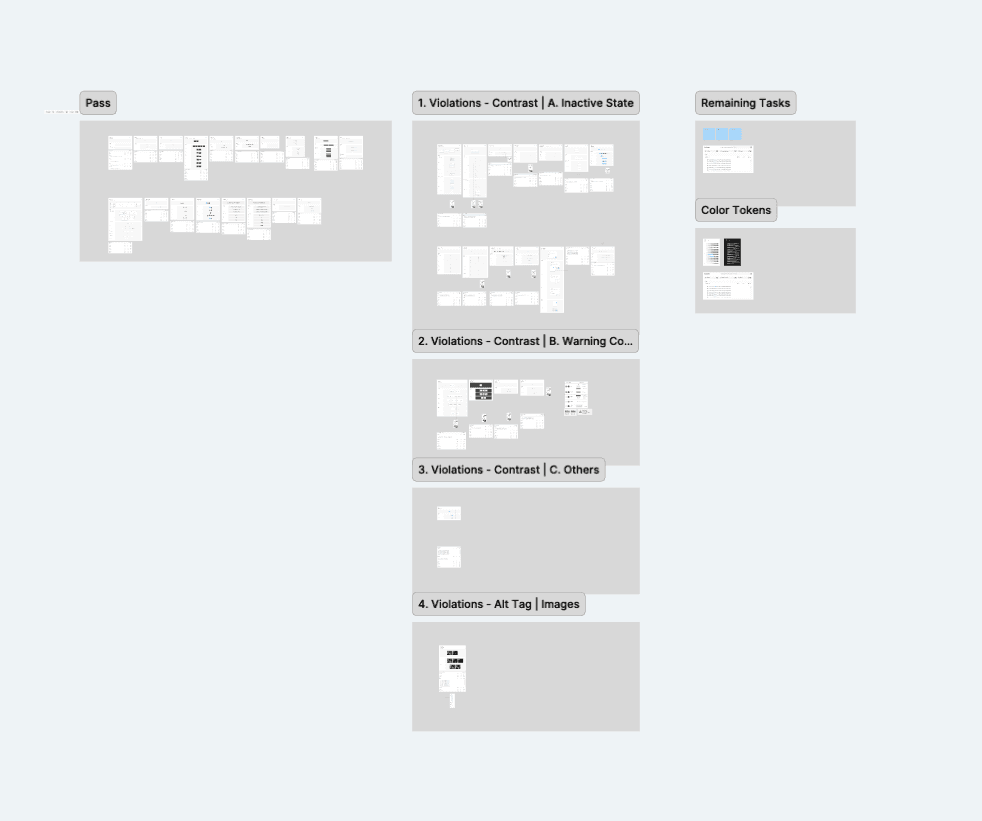
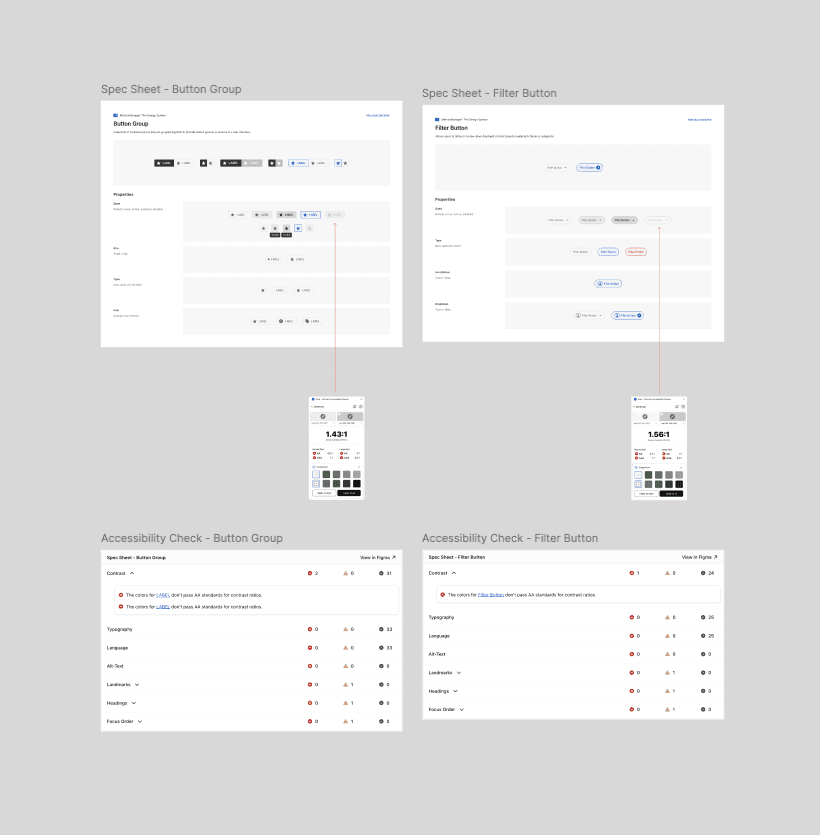
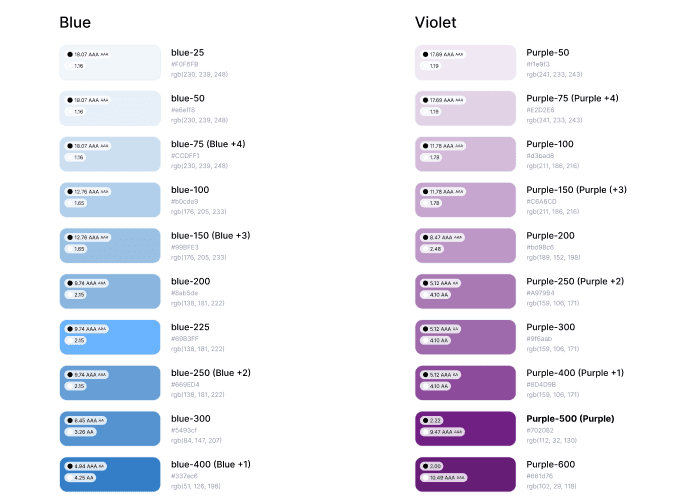
To ensure compliance with WCAG requirements, we tested the colors of each component against AA standards. The Weir DLS team also provided color sets with defined contrast ratios for both dark and light backgrounds. This process helped us ensure that our design system remains accessible and user-friendly for all users.
DOCUMENTATION
Component Documentation
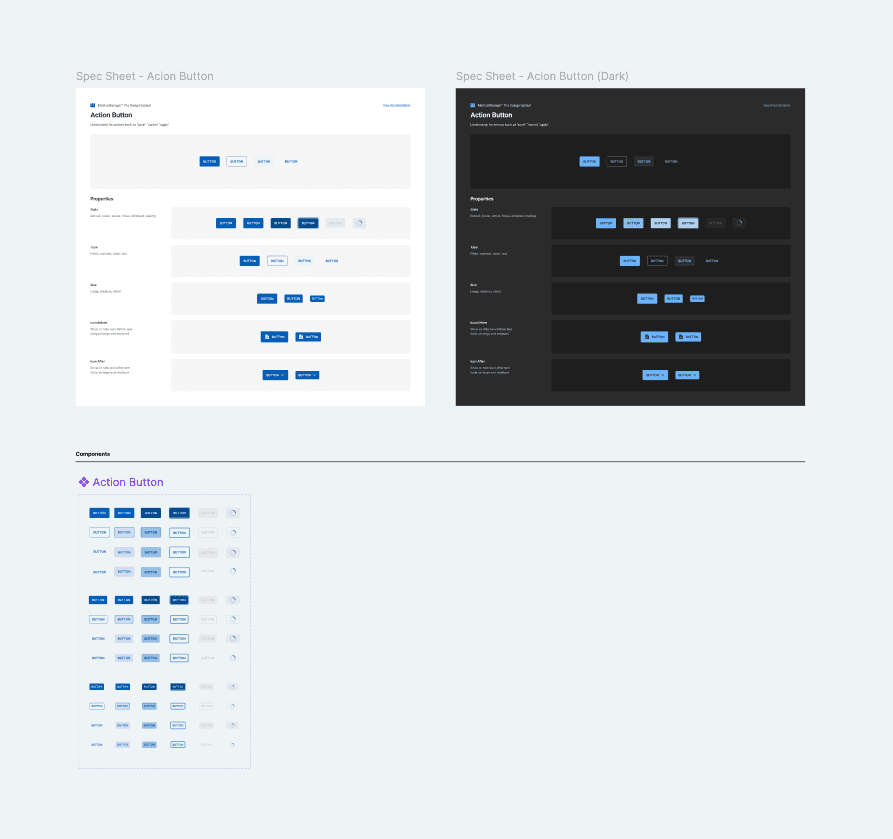
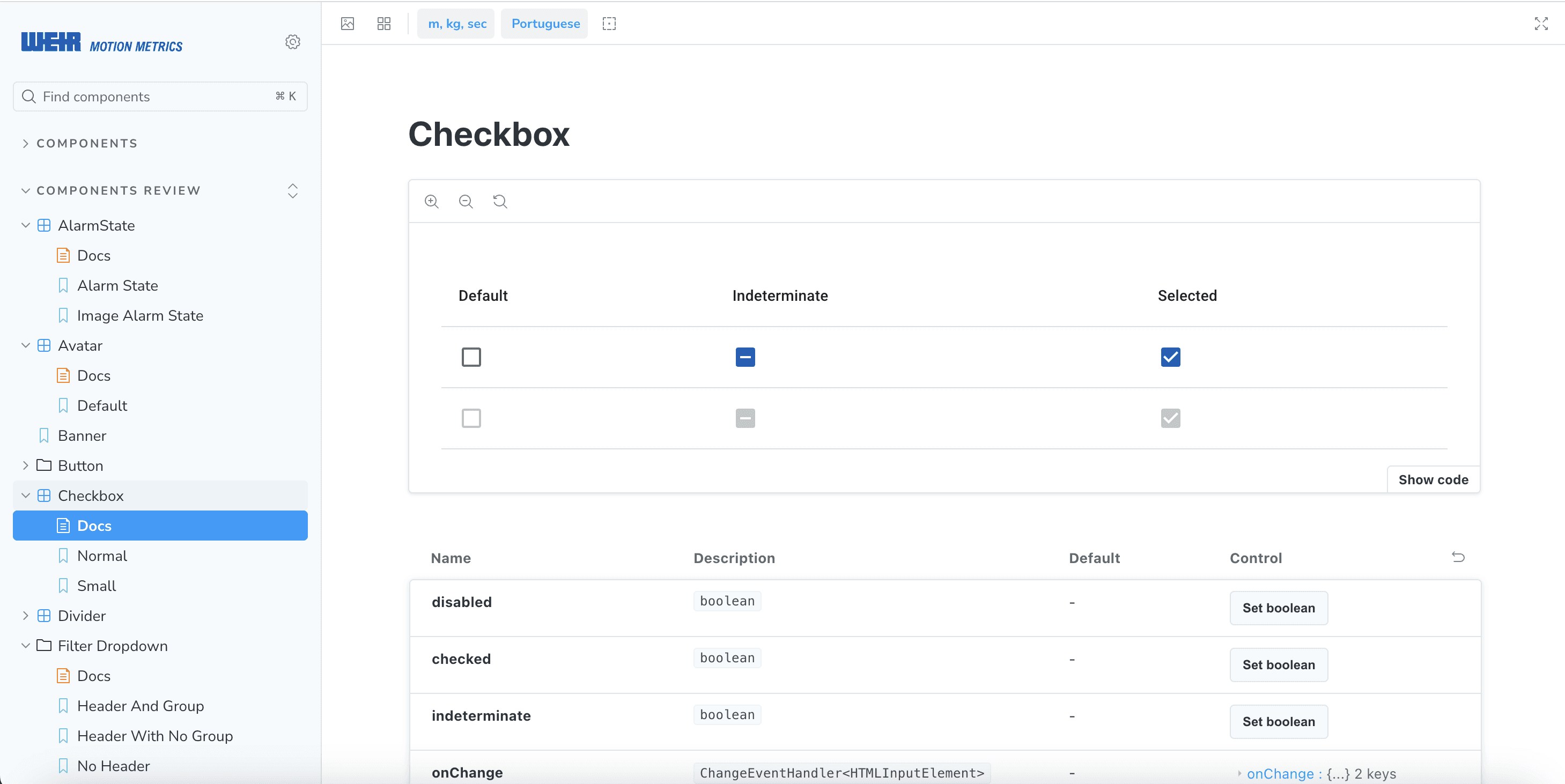
For each component, we documented its usage, properties, and variants, along with examples in both light and dark modes, ensuring that anyone accessing the design system can clearly understand how the component functions.
DOCUMENTATION
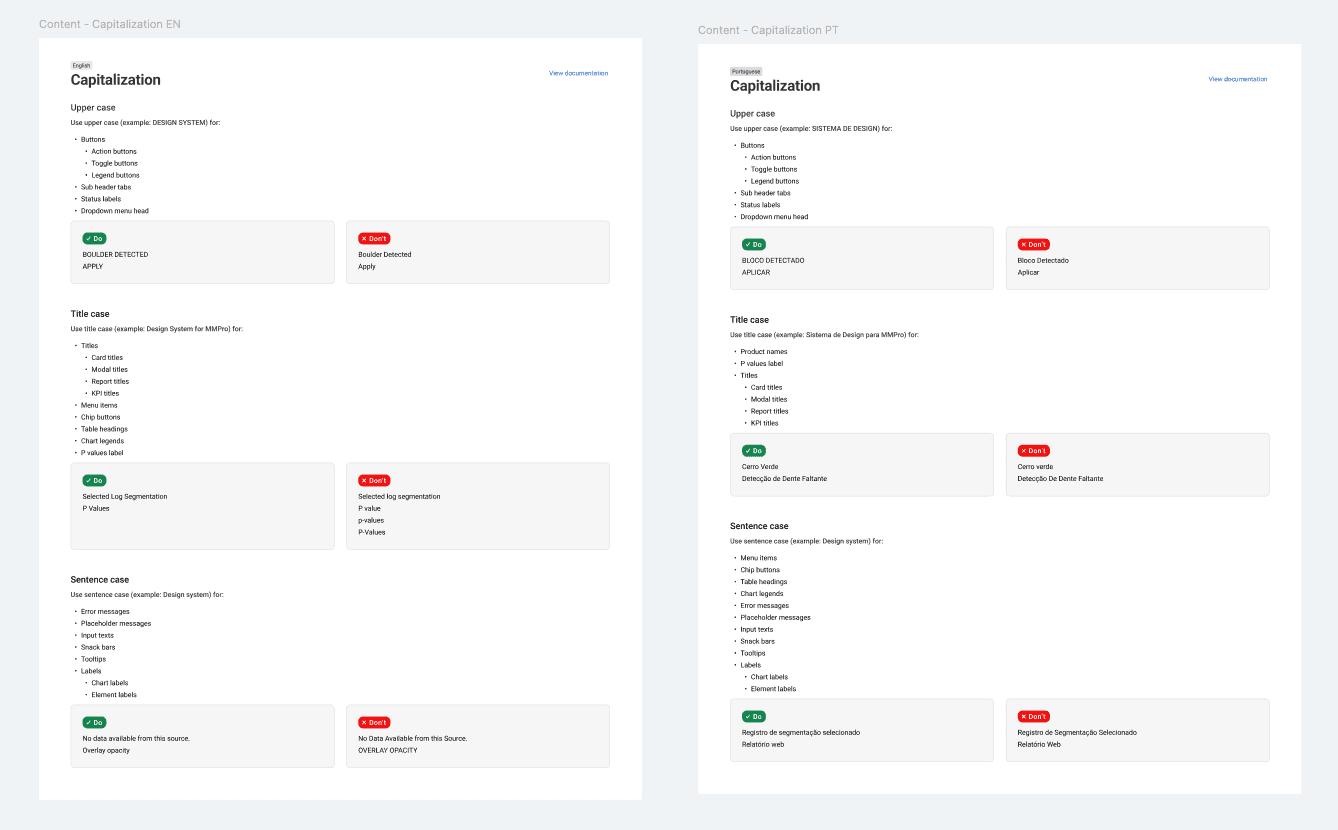
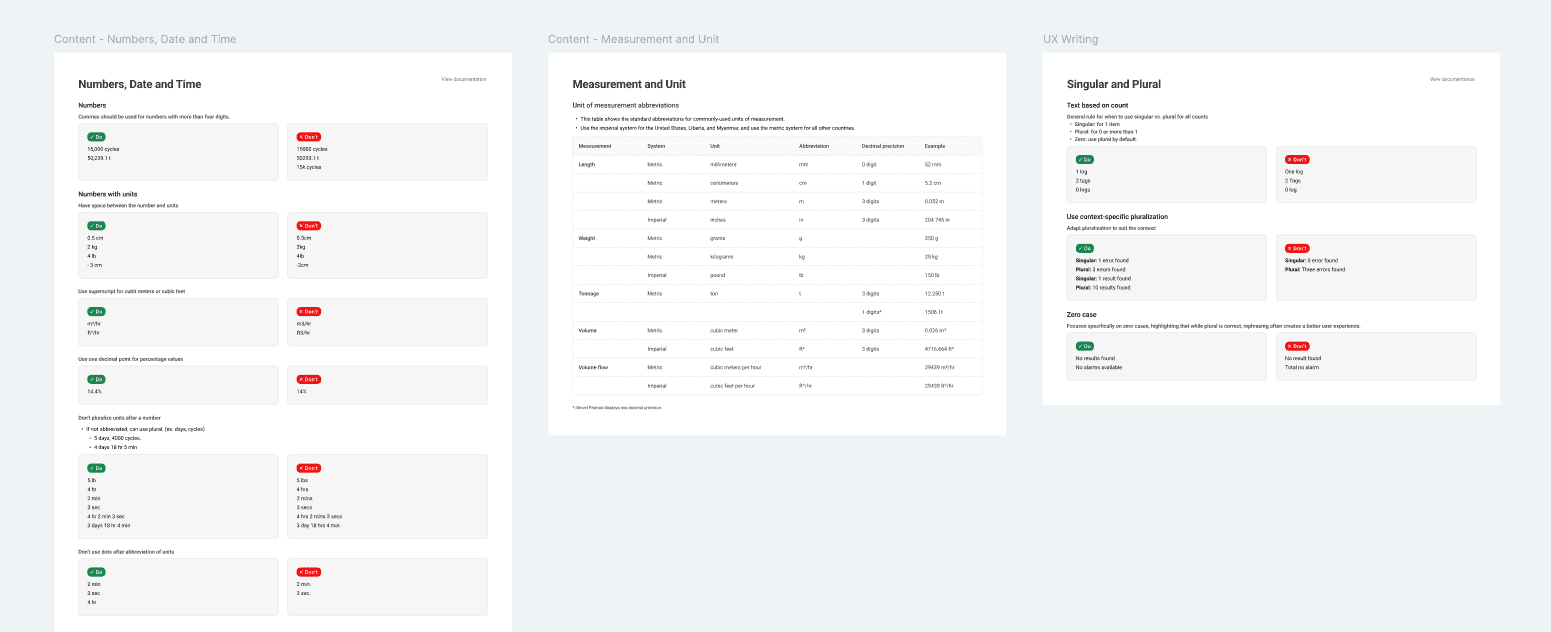
We also created a content guideline to ensure consistency across all details. For example, it defines casing rules, unit formatting, decimal precision, time formats, and other writing standards.
DEVELOPMENT
Aligning Storybook with Design System V2
During the final phase, I coordinated closely with the Storybook developer to ensure all design updates were fully aligned. Once the design system was finalized, we updated our Storybook UI library to reflect Design System V2.
FINAL OUTCOME
From Pain Points to Scalability: MetricsManager Pro V2
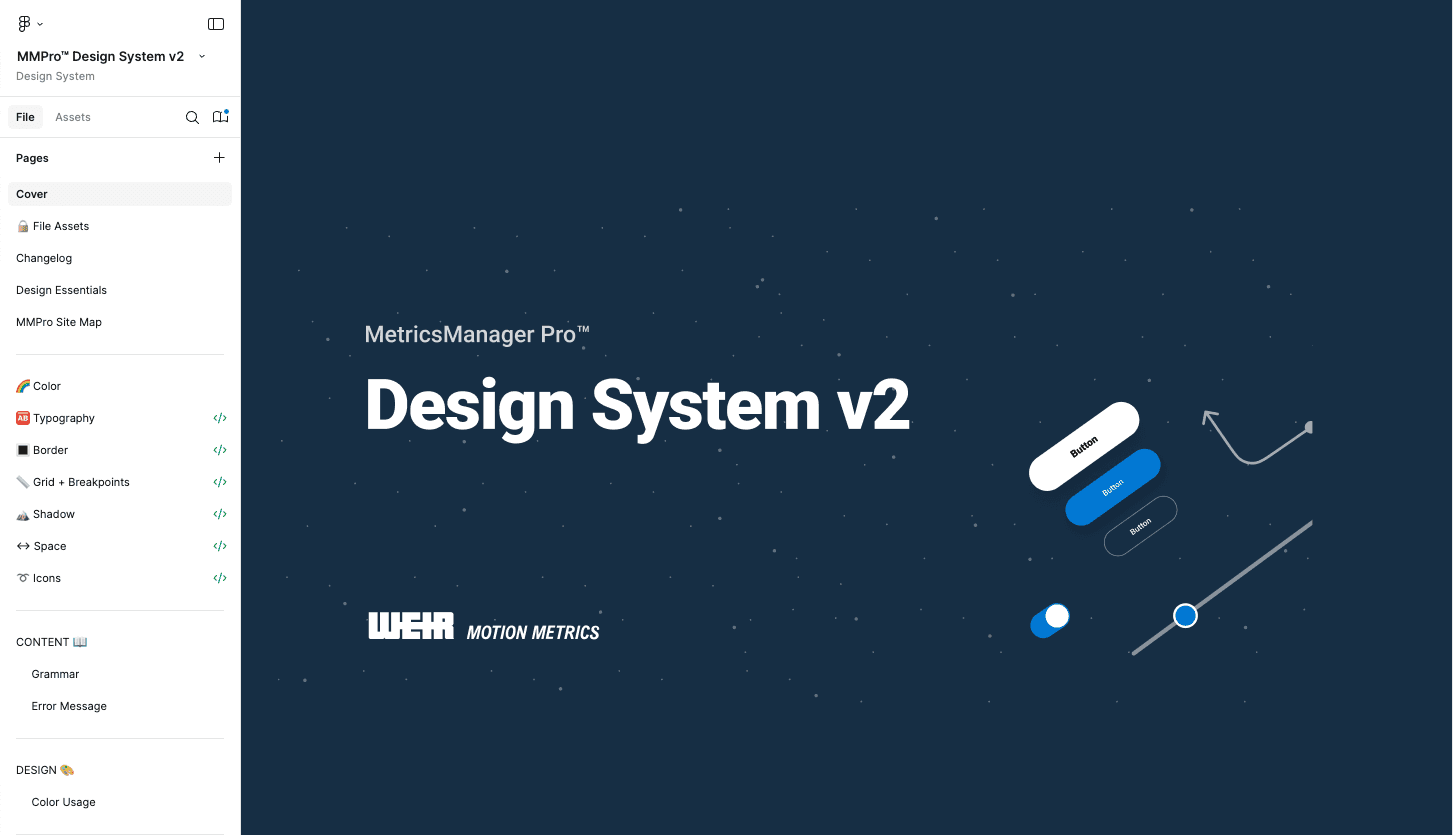
We significantly improved the MetricsManager Pro Design System V2 by identifying key pain points and studying how mature design systems are structured. With careful and detailed planning and research, we developed a flexible and scalable system that also helped us smoothly adopt Weir’s design system during the company acquisition.
Faster Future Development
With reusable and standardized components, Design System V2 lays the foundation for faster and more efficient development in future projects. This ensures new features can be built quickly while maintaining quality and consistency.
Easier Scalability
The system’s structure makes it easier to scale and adapt, such as when integrating with another company’s design system during an acquisition. This supports smoother transitions and long-term growth.
Consistent and Intuitive Experience
Users benefit from a predictable and cohesive interface, making the product easier to navigate. Consistent design patterns also build trust and improve overall satisfaction.
What is Next Step? ✨
🔎 Design System for Digial Division
Continue collaborating closely with the Weir DLS team to explore how we can create a unified design system across all digital divisions.
💻 Use of Storybook
Use Storybook components for all future projects and update existing pages to replace any elements not yet using these components.