01 | Wear Monitoring 3.0
Planning Equipment Changeout with AI Monitoring Solution
AI Monitoring
Data Visualization
B2B / SaSS
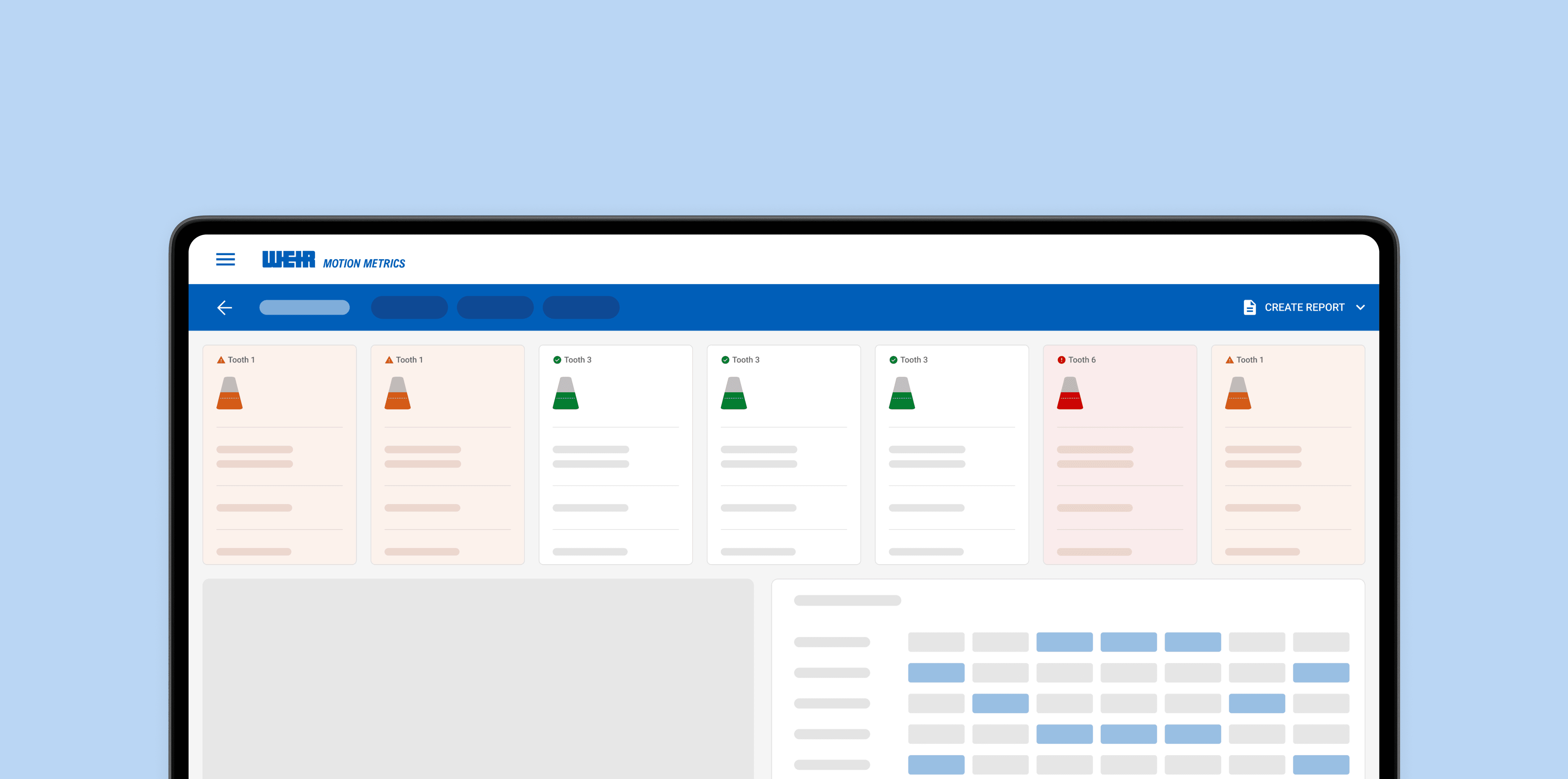
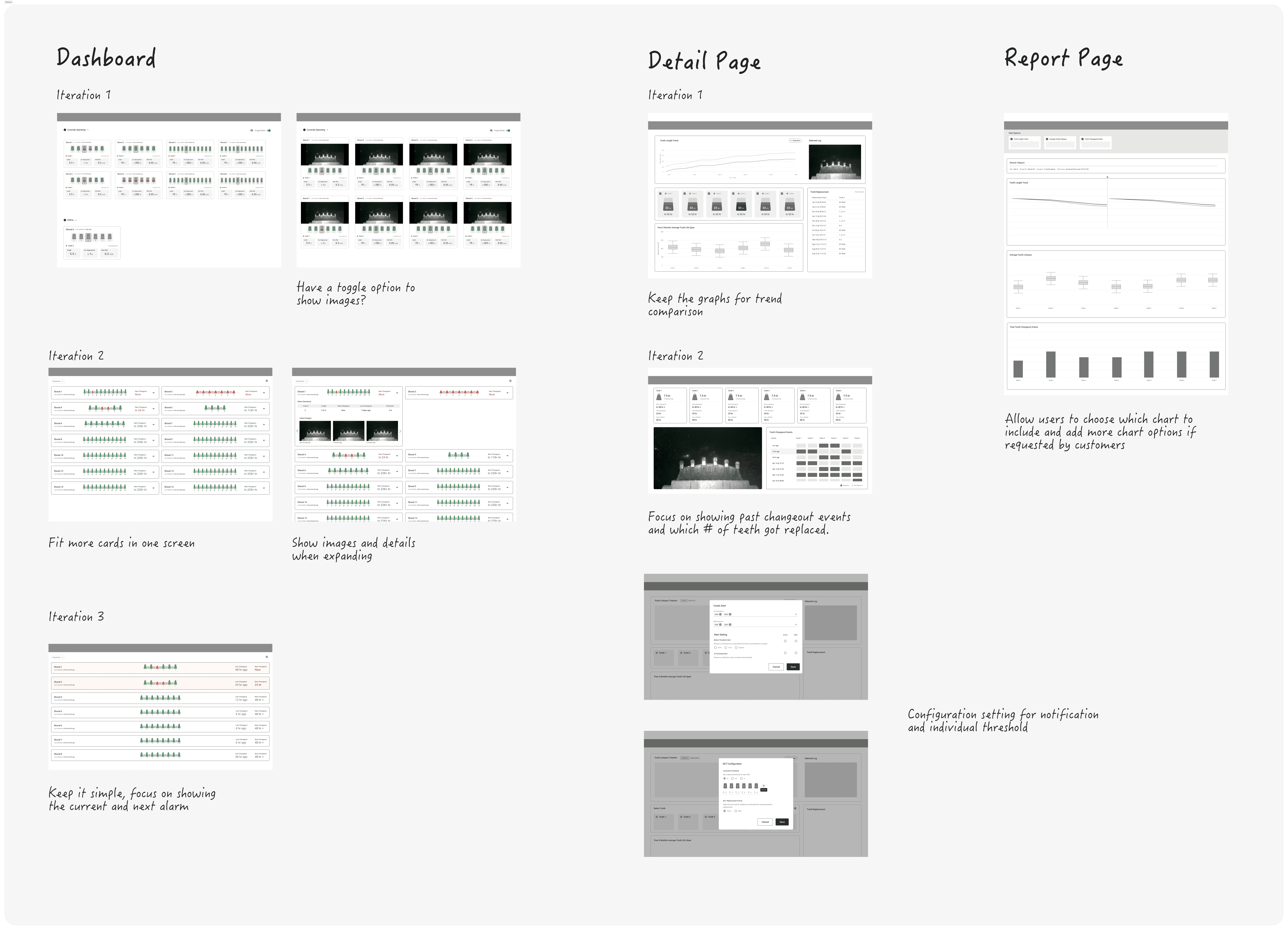
View Shovel Status in One Glance
The new dashboard allows you to see all the shovels you have and the status in one glance.
Monitor alarm status and schedule for the next changeout when it's needed.
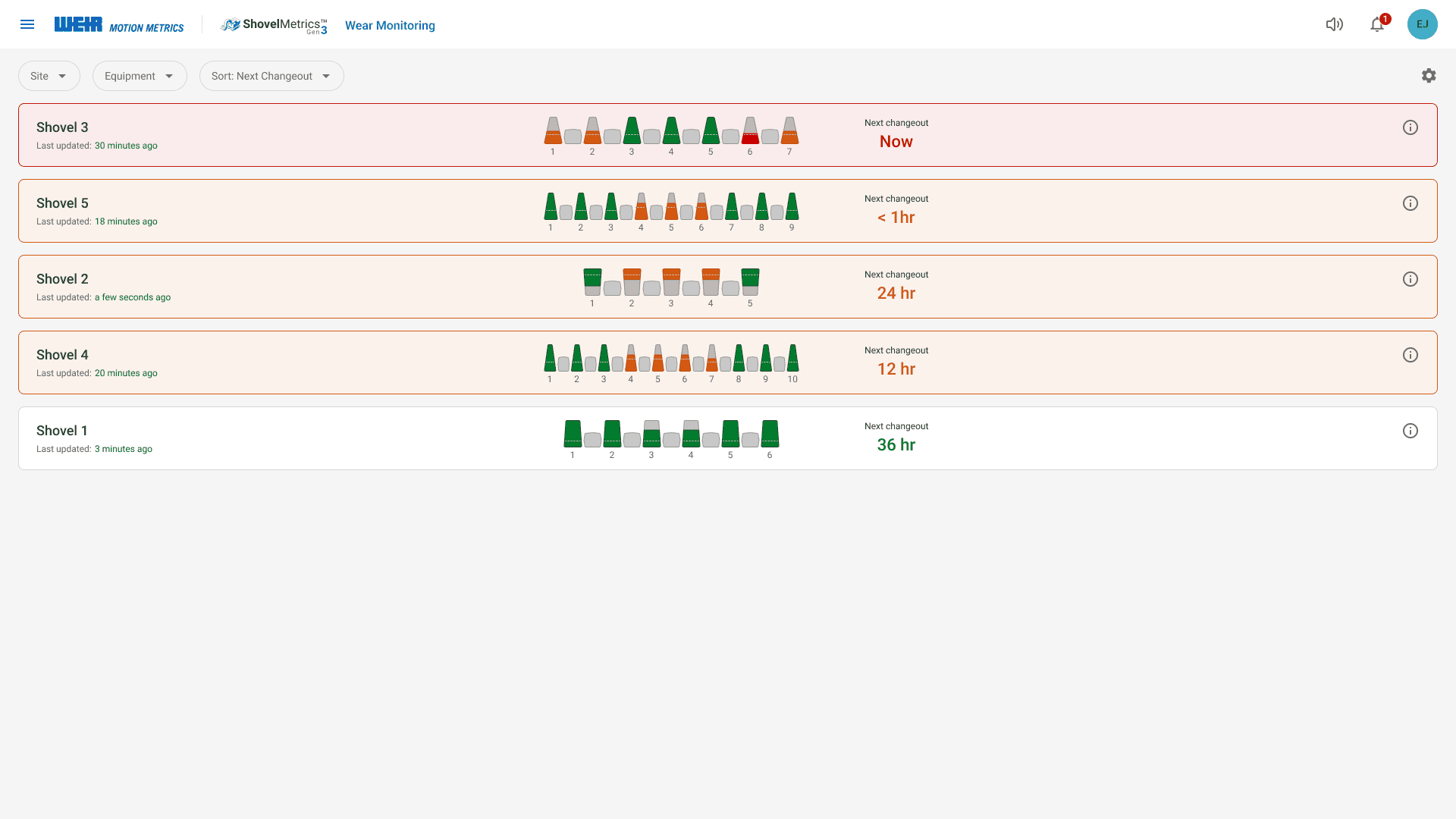
Configure Settings to Your Own Needs
Configure measurement units, define individual thresholds, and reverse tooth positions if required.
Users can also enable email and SMS alerts.
Plan Tooth Changeout in Advance
See the current condition of the teeth, review the last changeout date,
and schedule upcoming replacements in advance.
Create a Report for Analaysis
To analyze long term trends in bucket tooth wear, generate a monthly or extended report to identify patterns such as which teeth are wearing out more quickly and whether certain vendors' teeth wear faster than others.
CHALLENGE
Increase User Activity and Engagement
With AI-powered Wear Monitoring, tooth length is detected in real time. But is it accurate and dependable enough for customers to skip manual measurements? Our product improvement focused on increasing user engagement and daily activity.
Our key goals for this project were to:
Enhance the algorithm to minimize discrepancies between AI and tape measurements.
Explore user workflows to identify gaps and missing features.
Help users quickly understand equipment status and plan changeouts ahead of time.
My Role
From April to August 2025, I led the end-to-end design process of Wear Monitoring, including the dashboard, detail page, and report page, working closely with my lead designer.
Throughout the design phase, I collaborated closely with 2 Product Managers, the VP of Products, and the CLD Director to ensure alignment with our business goals and MVP requirements.
During development, I maintained clear communication with 2 Front-End Developers, 3 Back-End Developers, 1 Solution Architect, and
2 Machine Learning Engineers to ensure everyone fully understood the new logic and functionality.
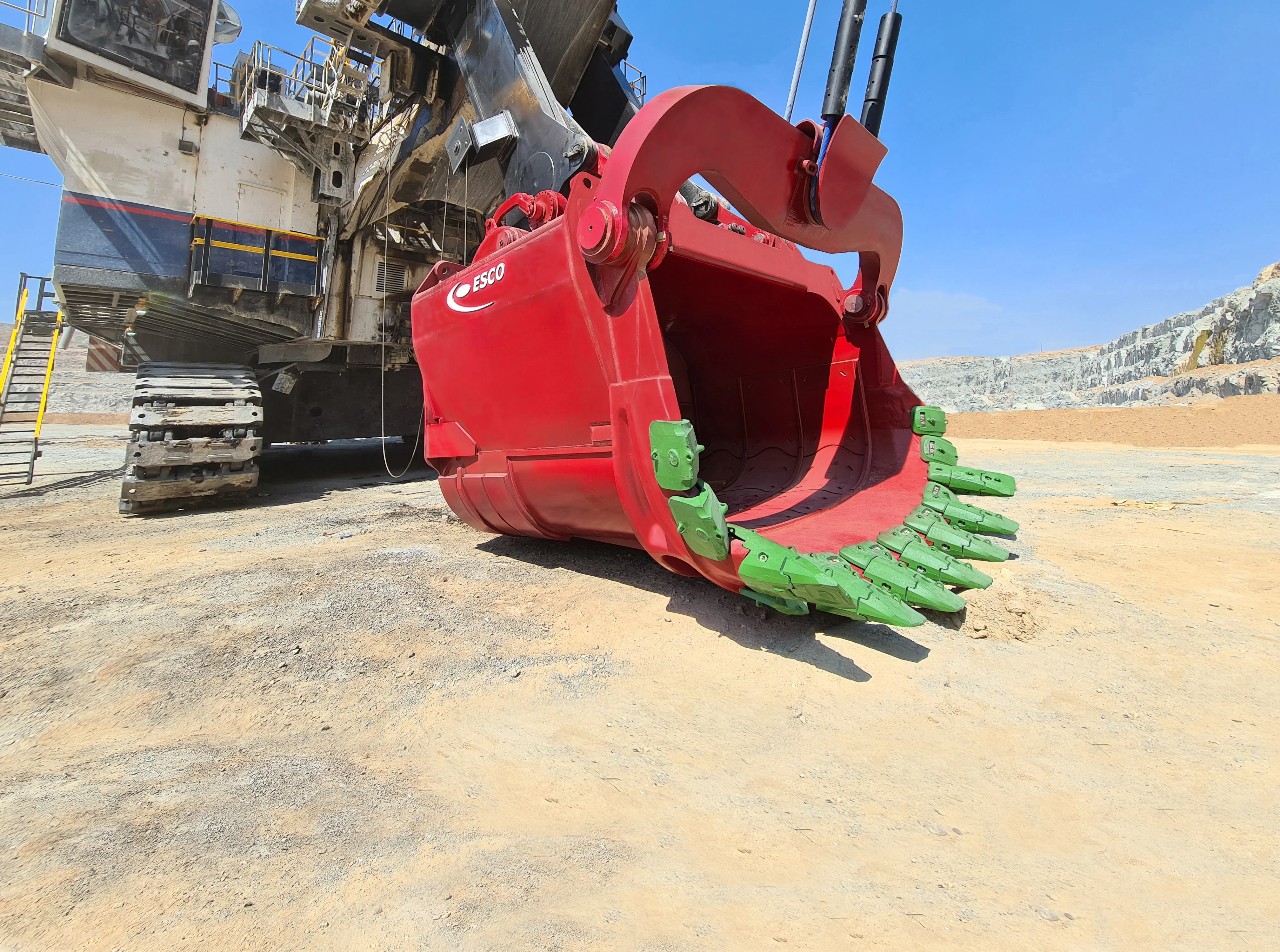
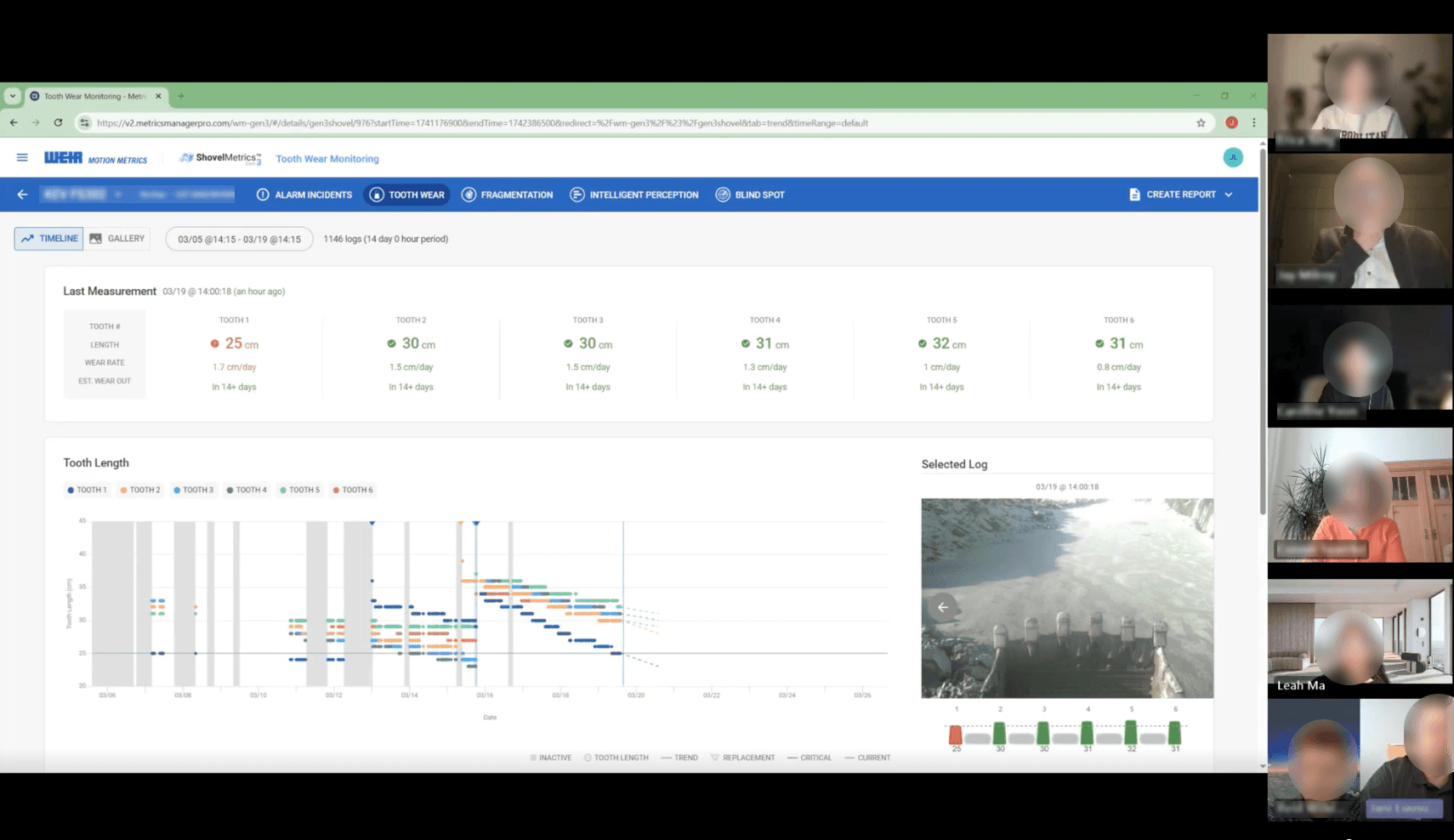
What is Tooth and why is it important?
RESEARCH
Discovering the Work Flow
At the start of the project, we had limited insight into how users interacted with our product or how they typically replaced bucket teeth. To better understand their workflow and usage patterns, we conducted interviews with seven end users across various mine sites.
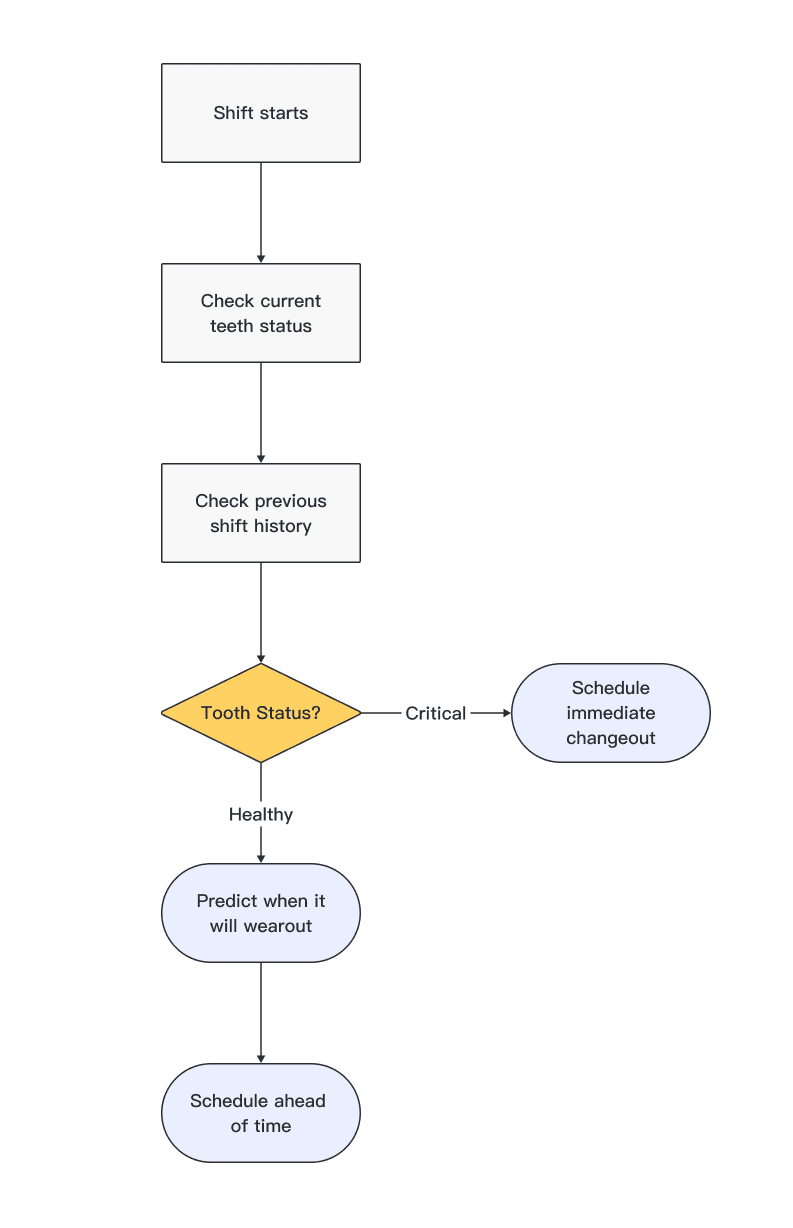
Flow 1 - Daily Monitoring
At the beginning of each shift, they assess the current wear on the bucket teeth and review the previous shift’s activity.
This ensures the shovel operator does not start work with excessively worn teeth.
User Groups:
Maintenance Team
Reliability Supervisors
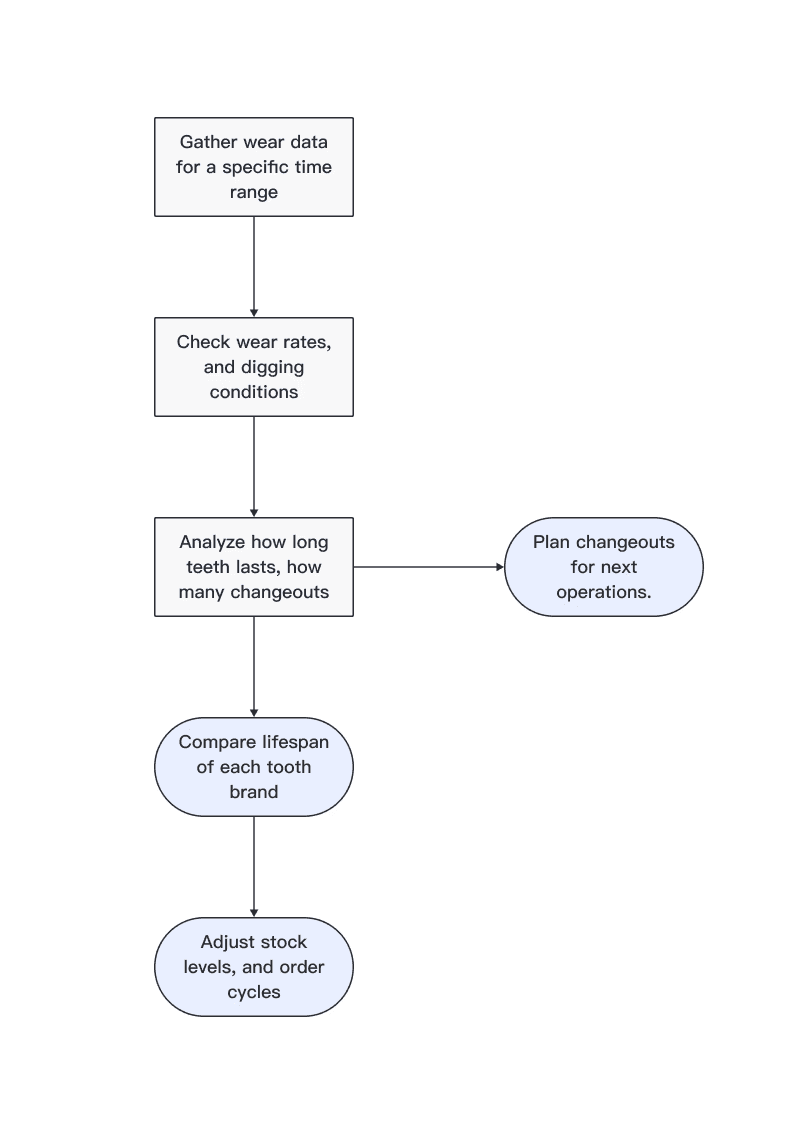
Flow 2 - Long Term Prediction
Teams use wear monitoring data to analyze changeout patterns and proactively plan future replacements.
They also compare the lifespan of different tooth brands to optimize stock levels and adjust ordering schedules.
User Groups:
GET Coordinators
Maintenance Manager
Inventory Managers
ANALYZE
Pain Points and Key Insights
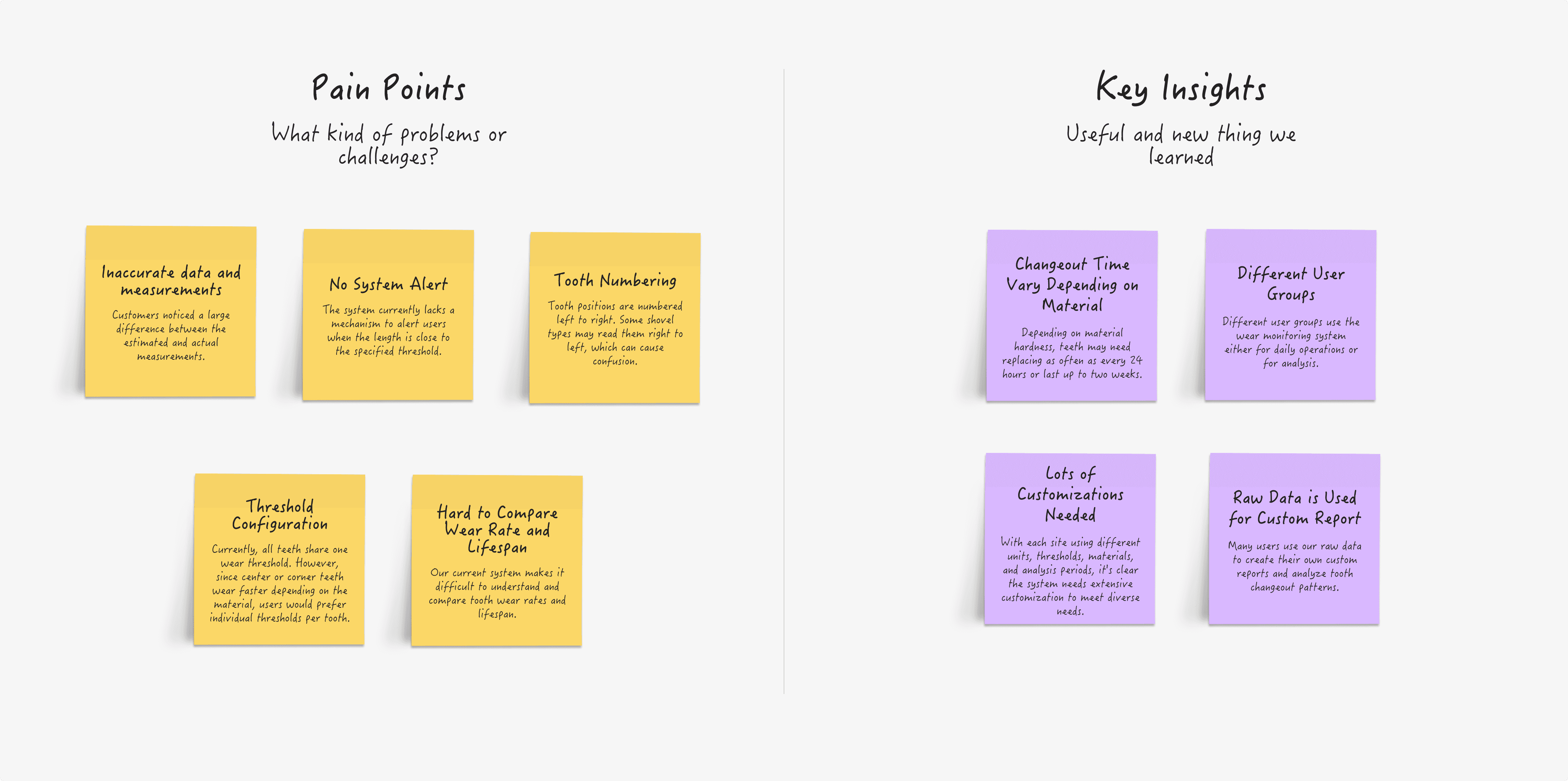
During the interviews, we identified a variety of pain points and obstacles that are causing users to lose trust and reduce their use of the system. At the same time, we found helpful insights that should be considered when making design improvements.
CURRENT PROBLEM
After learning about users' workflows, pain points, and key insights, I focused on understanding their experience with the current interface. It was important to identify the core issues before introducing new features.
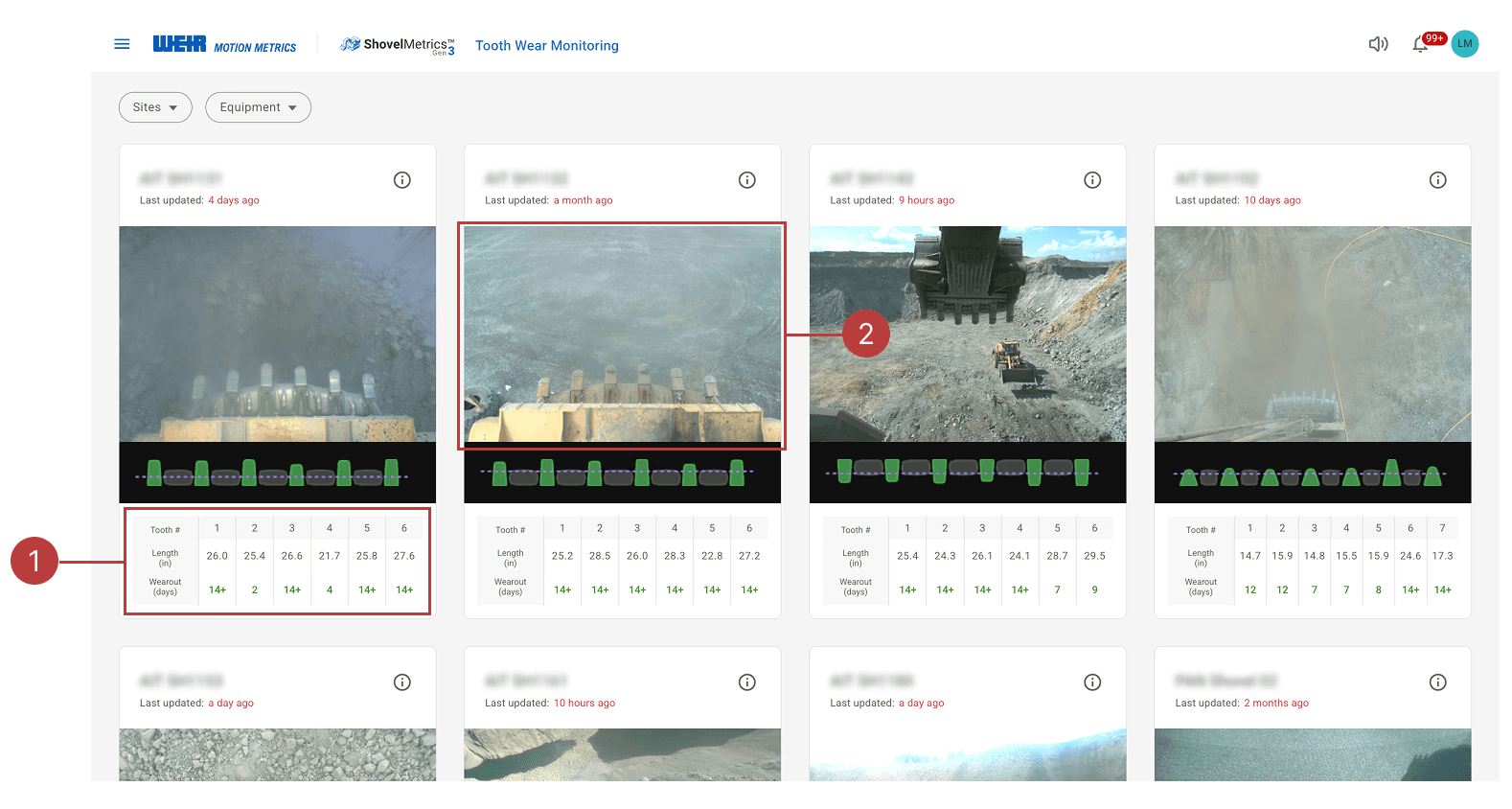
Overloaded Dashboard
1
Too much detail on the dashboard makes it hard to focus on key information.
2
As a daily user, I want to see all my shovel in one glance but the image is taking too much space.
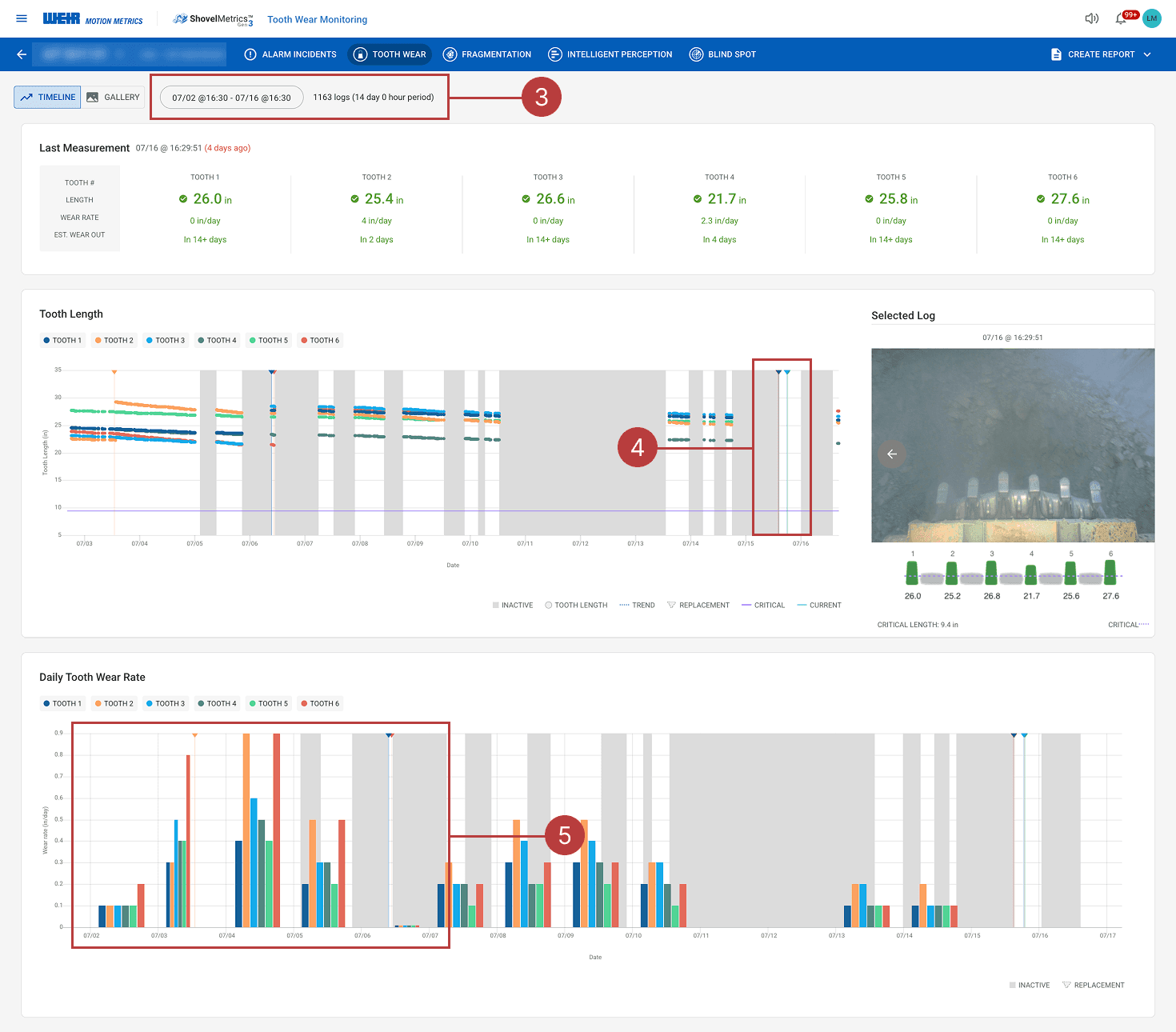
3
As a daily user, 14 days of data is not very helpful I want to focus on current conditions.
4
Tooth changeout information is hard to see on the graph.
5
Bar charts are not effective for wear rate since they make it hard to compare changes over time.
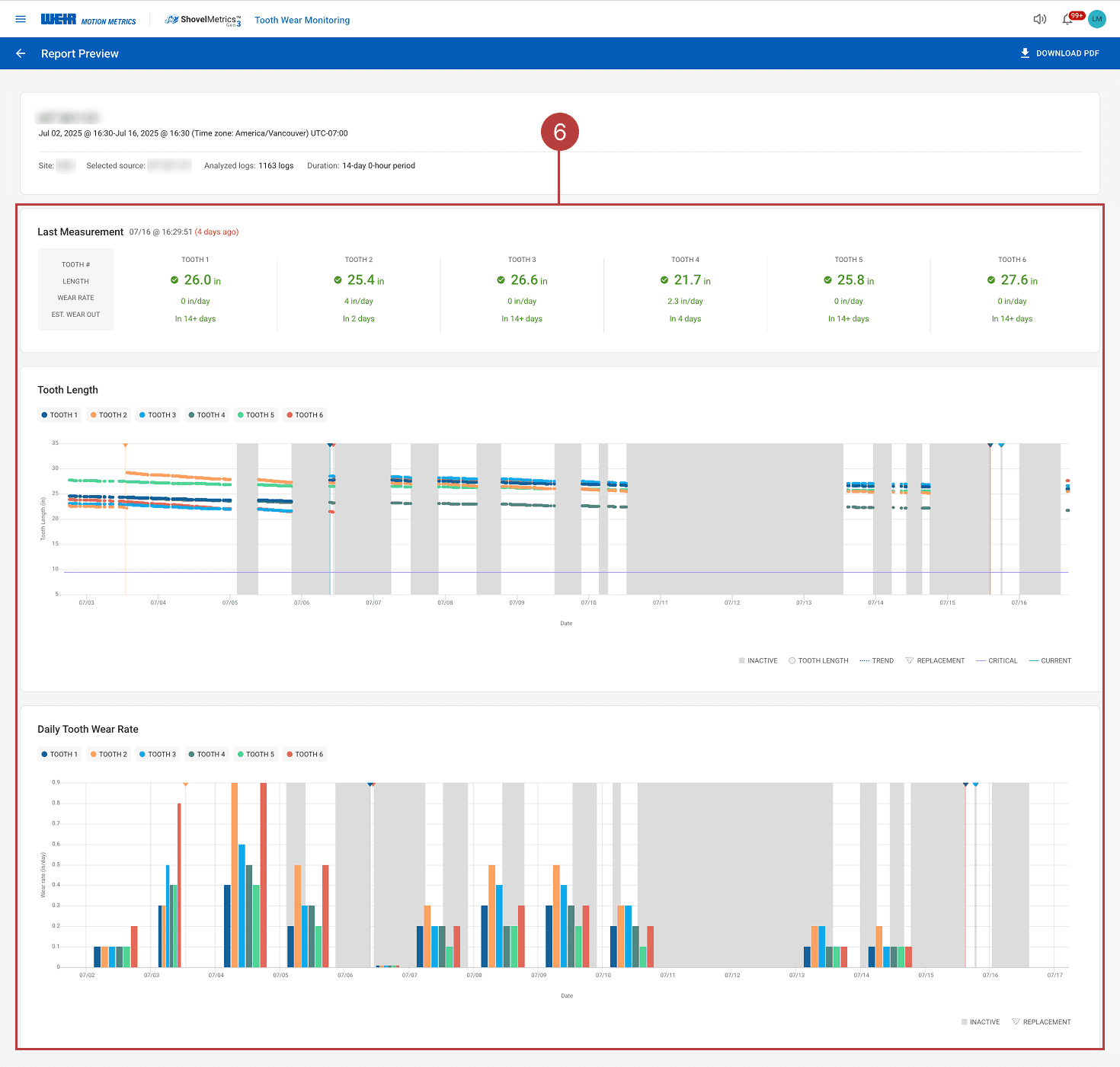
Repetitive Information on Report
6
As a report user analyzing long-term changeout trends, I need to identify patterns in the frequency of changeouts and compare the lifespan of individual teeth.
Repeating the same information on the detail page adds little value and doesn't support deeper analysis.
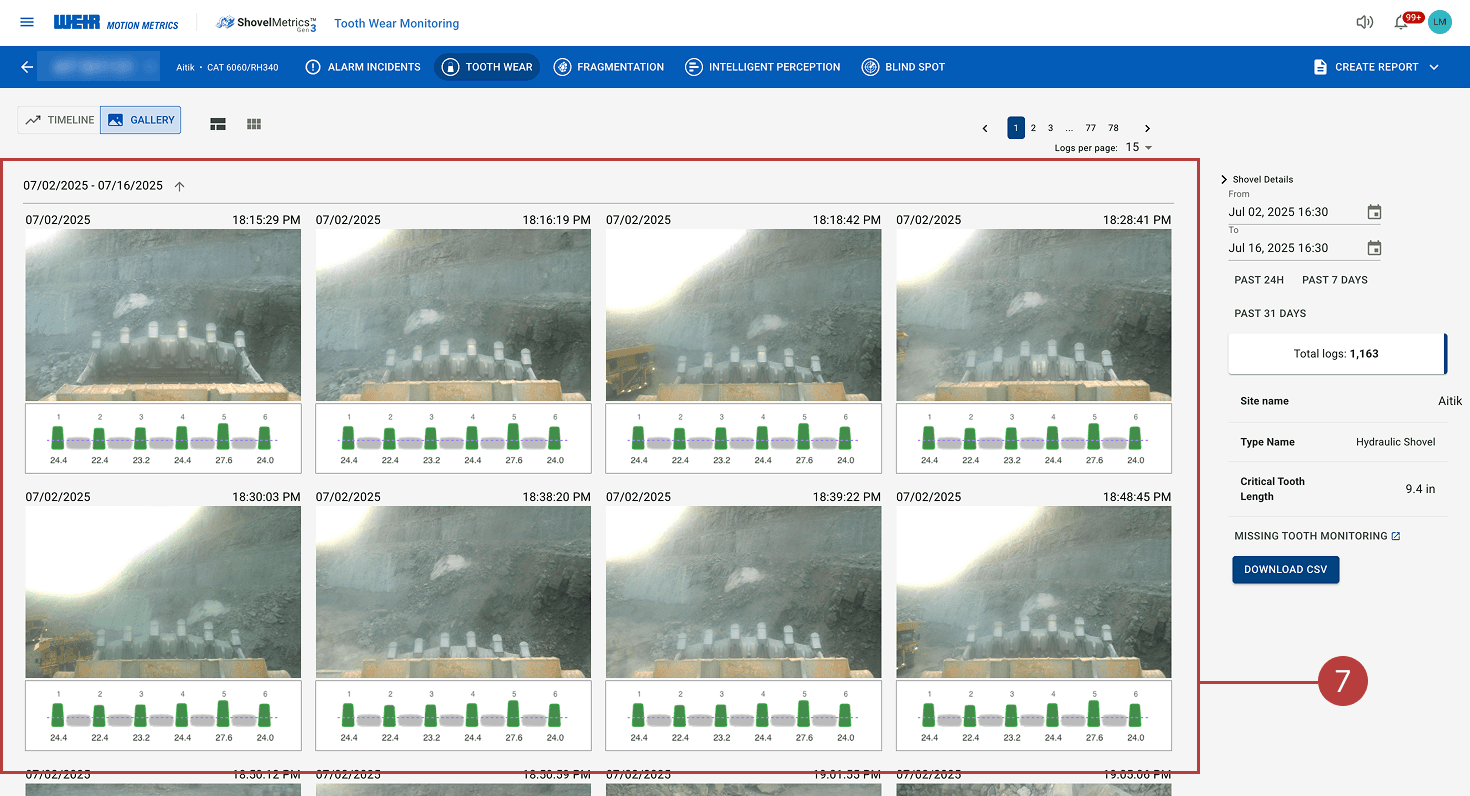
Unnecessary Gallery View
7
Capturing and displaying images every few minutes overwhelms users with excessive data, making it harder to extract meaningful insights or take action.
REFRAMING THE PROBLEM
Showing "More" Doesn't Solve the Problem
The current Wear Monitoring system presents an overwhelming amount of data, making it difficult for users to accomplish their clearly defined goals. While the intent was to provide comprehensive information, much of it lacks relevance and utility. This highlights a key UX principle: sometimes, showing less enables users to do more.
IDEATE
Defining the MVP & Planning
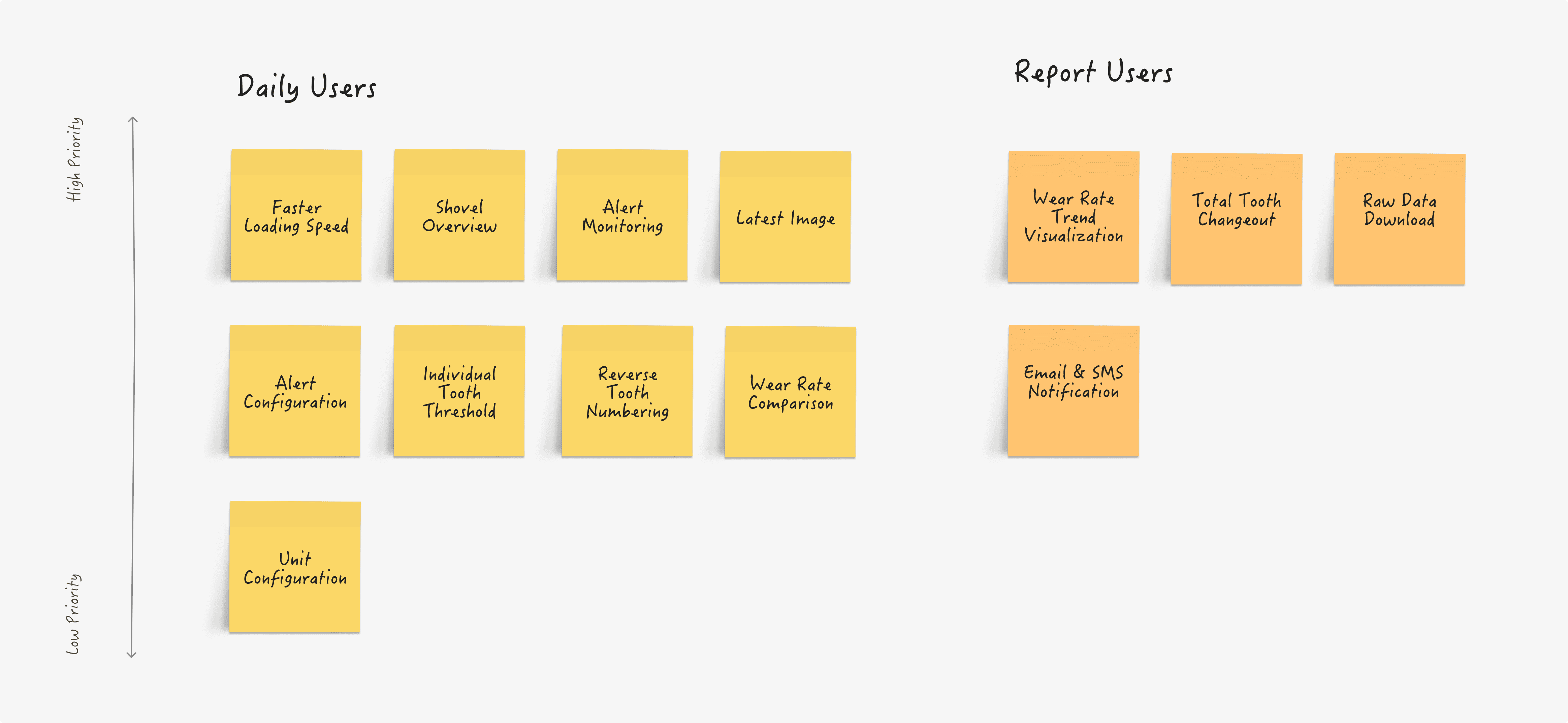
As we developed a deeper understanding of our customers’ workflows and the challenges they face with the current design, it became clearer which features are critical. We started to define the must-have functionalities for both daily users and report users to effectively carry out their tasks.
HOW DID WE VALIDATE?
How Would They Interact?
Once the high-fidelity design was ready, we began with usability testing to ensure users could complete key tasks without difficulty. During the sessions, we observed user interactions and refined the design based on recurring issues. After development, we conducted a user journey test with a few internal users who simulated real-world scenarios to verify whether the tooth changeout occurred as expected.
PRE-DEVELOPMENT TEST
Observing How Users Interact with the New Design
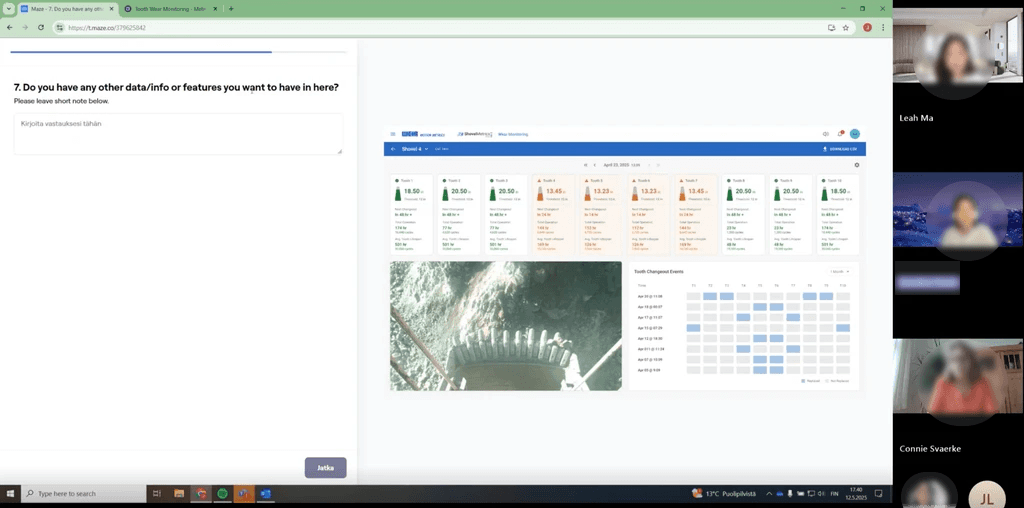
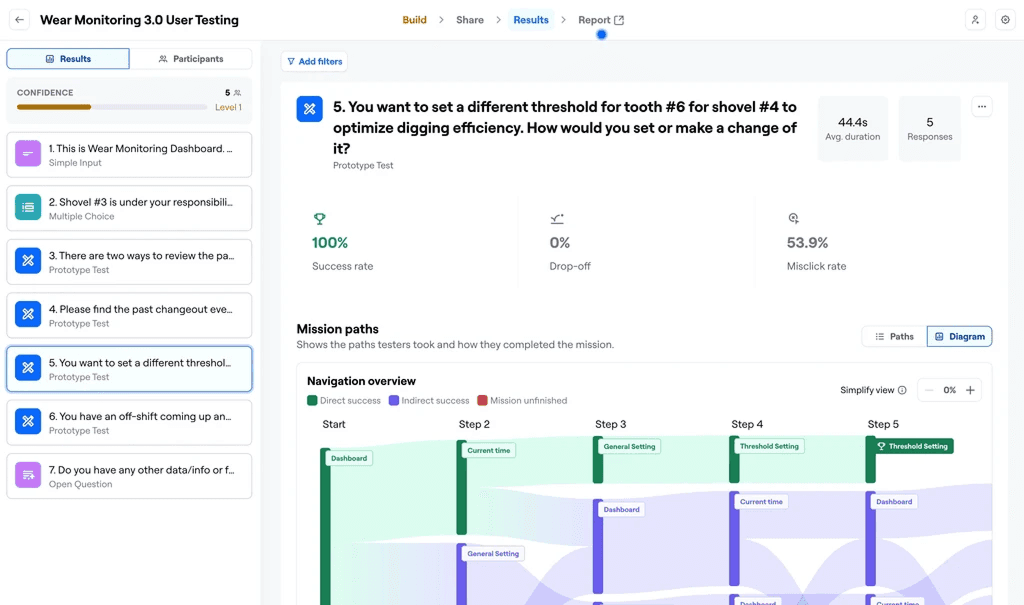
Using the testing platform Maze, we created several tasks that reflected our customers’ typical day-to-day workflows. The goal was to validate whether they could successfully complete real-world tasks using our platform and to gather feedback on how the new design compared to the existing one.
PRE-DEVELOPMENT TEST
Outcome of Usability Testing
The testing results were very positive, with a high task success rate and strong customer satisfaction with the new interface and features. Not only did we validate the design, but we also gathered valuable feedback and insights from users, which enabled us to iterate and further enhance the design.
Task Success Rate
95%
User Satisfaction
100%
Time on Task
< 60 s
Improved Equipment Efficiency
By tracking wear in real time, the system helps prevent unexpected breakdowns and optimizes maintenance schedules. This reduces downtime and increases overall operational efficiency.
Cost Savings
Early detection of wear allows for timely part replacements and reduces the need for expensive emergency repairs. This lowers maintenance costs and extends equipment life.
Safer and More Reliable Operations
This project involved multiple teams, especially engineers, making cross-functional communication vital. I learned the importance of ensuring my designs were technically feasible and thoroughly documenting functionality to keep everyone aligned on how each component should work.
What is Next Step? ✨
🔎 Continue to Test and Gather Feedbacks
Our product team will be doing a soft launch, releasing the product to a select group of target customers so we can observe their usage and gather feedback directly from real end users.
💻 Enhance Algorithm Accuracy
Although the algorithm has improved, post-development testing still revealed some faulty detections and inaccurate predictions, so further development is required to ensure reliable performance.